
Frame the decision
Name the audience, requested decision and source pack. Review imported tables and extracted text; record gaps instead of allowing a polished narrative to conceal them.
Gixo Business turns the source material for a meeting into a reviewable brief: agenda, context, decisions to make, action items, and open evidence gaps. Review the draft before you send it; it is preparation support, not an automatic record of what the meeting decided.
Gixo Business generates a structured meeting brief from the context and source files you provide. Describe the meeting outcome and intended audience, add the sources you want to use, and review the proposed outline and missing evidence before generating.
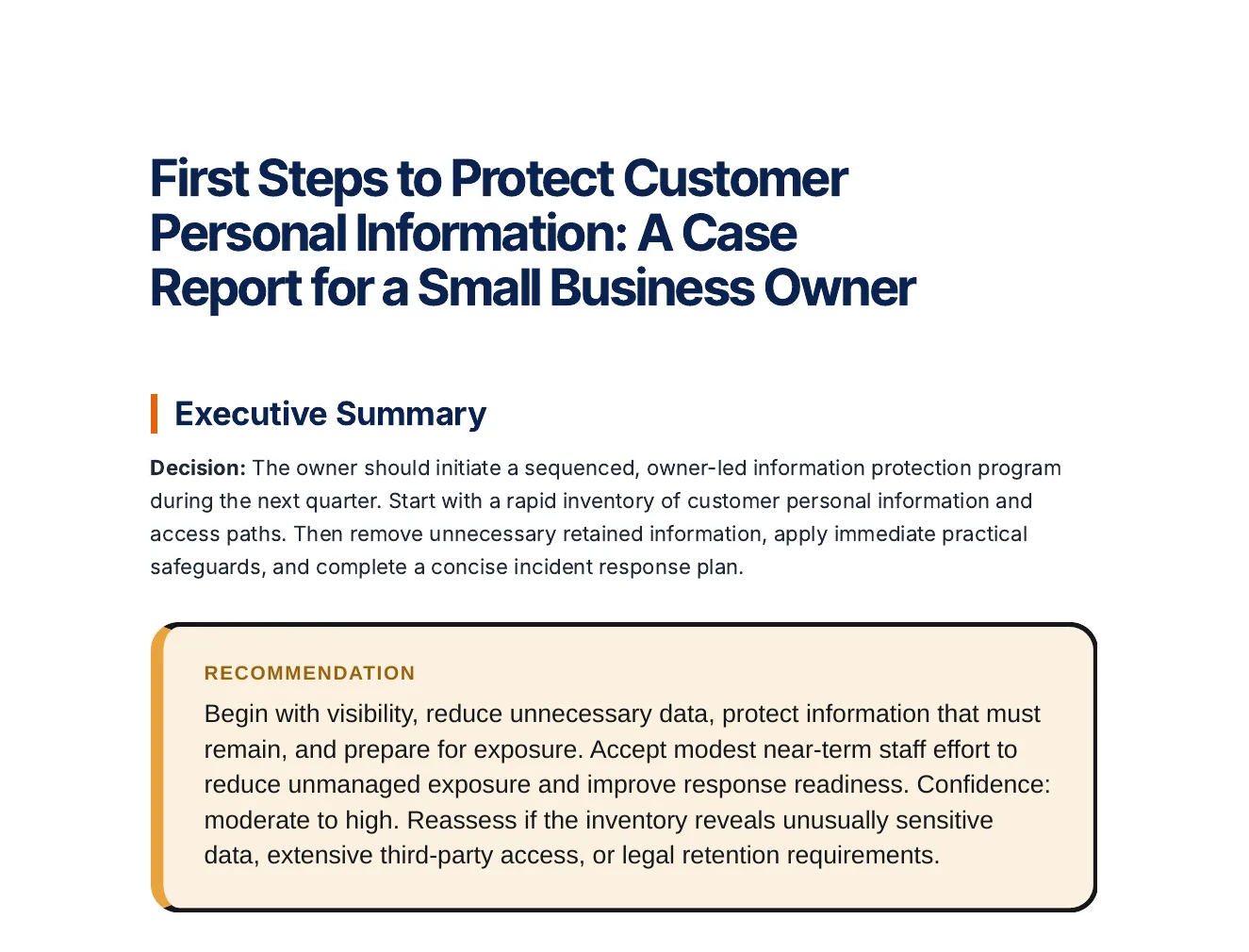
Inspect an actual Business report. A readable decision brief needs the question, supplied evidence, options, assumptions and next decision—not just a shorter source document.
A decision, options compared on stated criteria, risks and a roadmap, every statement labelled Fact, Inference or Assumption.
Business question: Which actions should a small business that stores customer personal information take first to protect it and to be ready if it is exposed? Decision maker: The owner of a small business. Timeframe: The next quarter. Context: A small business collects customer personal information and keeps it in paper files and on computers. It has no dedicated security staff. Refer to it as 'the business' throughout and do not give it a name. Options: Take stock of the personal information it keeps and where it is stored; Reduce what it keeps to what the business needs; Lock down the information it keeps with practical safeguards; Prepare a plan for responding to a data breach. Criteria: How much personal information at risk it removes or protects; How realistic it is for a small team without security specialists; How well it limits the harm if information is exposed. Constraints: No dedicated security staff; Limited time and budget.
Open the full export and compare its statements with the cited sources before reuse.
Name the audience, requested decision and source pack. Review imported tables and extracted text; record gaps instead of allowing a polished narrative to conceal them.
Separate supplied facts, calculated values, assumptions and recommendations. For variance work, reconcile the period, unit, baseline and actual value before interpreting the direction of a difference.
Use options, trade-offs, risks and named next actions. Review the final artifact and, when using Analyst calculations, inspect the calculation evidence separately from the narrative.
Select source documents, case context, working notes, assumptions, options and decision constraints before generation. Inspect claims, metrics, exact quotations, source tables and conflicting figures. Review decisions are scoped to the source or artifact and can become stale after evidence changes; unresolved evidence should stay visible.
Keep investment, recurring costs, benefits, delays, growth, discount assumptions and scenario probabilities explicit. Inspect deterministic cash flow and the available return, payback and sensitivity outputs. Compare scenarios before selection, and inspect the formula workbook or calculation receipt separately from the narrative recommendation.
Inspect the dossier's source tables, working rows and columns, calculation ledger and workbook handoff. Metric packs retain reviewable calculation and source context. Preview source replacements for a new period before accepting them. Execution records distinguish an action owner, baseline, target, measured value, data source and the reason for a status change.
A calculation can be replayable while the supplied inputs remain wrong. A generated report is decision support, not independent diligence, audit assurance or investment advice.
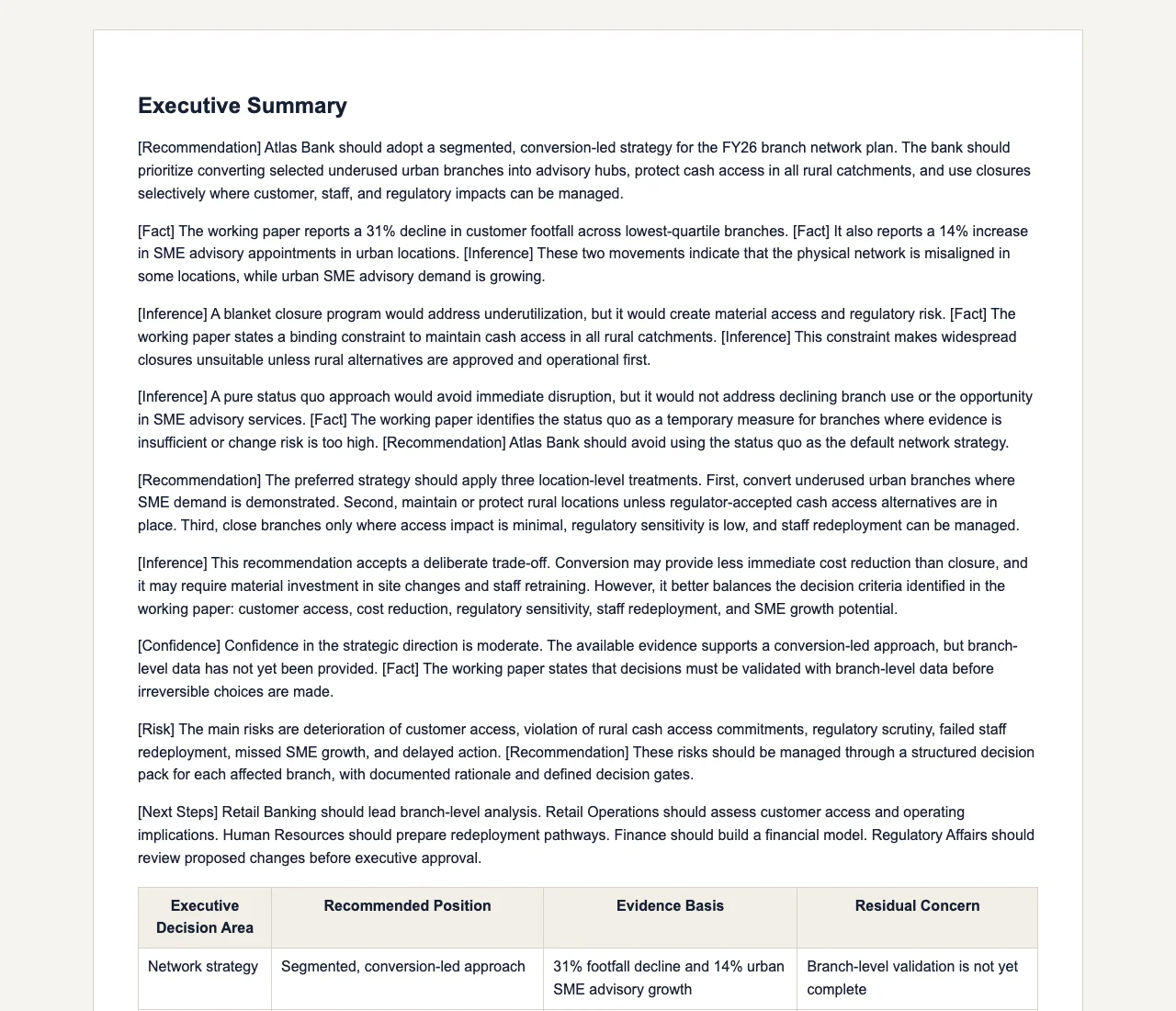
Illustrative brief structure. The source figures and decisions must come from your own materials.
| What you provide | What the brief can organise | What a human still checks |
|---|---|---|
| Prior meeting notes, the latest KPI sheet, and the client question | Opening context, a timed agenda, and the decision the meeting needs to reach | Whether the source pack is complete and the decision owner is correct |
| Two competing options and their supporting documents | Pros/cons, trade-offs, cited figures, and open evidence gaps | Whether the recommendation follows from the evidence and constraints |
| Named attendees and the follow-up deadline | Action items, owners, dependencies, and a next-review note | Whether each owner agreed to the action and date in the meeting |
From board meetings to client calls, Gixo generates comprehensive meeting briefs that keep discussions focused and productive.
Auto-generate meeting agendas with time allocations, discussion topics, and priority ordering. Use the block-based editor with Checklist and Steps blocks to build structured agendas that keep meetings on track from the start.
Provide the background records, prior decisions and stakeholder context relevant to the agenda. Business attempts source-number reconciliation in a sourced draft; unrepaired values can remain. Check material figures, dates and citation support before sending the meeting pre-read.
Define clear action items with owners, deadlines, and dependencies using KPI and Checklist blocks. Generate follow-up templates that connect each meeting to the next with accountability built in. Use Quick AI's six instant actions for last-minute rewrites before distribution.
Outline decisions needed with options, trade-offs, and recommendations using Pros/Cons blocks. Uploaded-file citation markers can support evidence review where the plan requires them. Check missing markers and whether each source supports the proposed recommendation.
Generate role-specific prep notes for each participant. Describe the meeting outcome and intended audience, add the sources you want to use, and review the proposed outline and missing evidence before generating.
Build briefs for recurring meetings that reference prior sessions. Save each brief to a workspace, track progress on ongoing initiatives with KPI blocks, and apply your Brand Dictionary so every document uses your organization's preferred terms.
A meeting brief is useful when participants need the same context before they make a decision. Without one, the first part of the meeting is often spent reconciling notes, figures, and open questions. The remedy is a bounded pre-read that shows the agenda, the decision to make, the evidence supplied, and the work that is still unresolved.
Gixo Business assembles that pre-read from the context and source files you provide. Its multi-stage pipeline checks structure and Brand Dictionary terms, plus numbers and citations when you supply sources, but it cannot know whether a source is complete or whether a recommendation is acceptable. Participants still review the brief; the product makes the questions and evidence gaps visible before the meeting.
Enter your meeting topic, attendees, and goals. Specify whether it is a board review, client kickoff, sprint planning, or strategic planning session.
Gixo produces a structured meeting brief with agenda, context for each topic, key data points, questions to address, and recommended decisions.
Edit with the block-based editor featuring 20+ semantic blocks like Checklists, Steps, and KPIs. Use Quick AI for instant rewrites or Power Edit for full AI dialog to polish any section.
Download as PDF or share directly. Distribute the meeting brief to all participants ahead of time so everyone arrives prepared and aligned.
| Evaluation area | Gixo Business | What to check in Notion AI, Otter.ai and manual preparation |
|---|---|---|
| Job and inputs | Draft the meeting context, agenda, decisions needed and supporting evidence from supplied notes. | Test the current product or scoped service against the same question, sources and deliverable. |
| Evidence review | Inspect source coverage, uploaded-file citation markers and generated-draft Evidence and citation findings. | Check source support and current research capabilities; a citation alone does not confirm the conclusion. |
| Revision and delivery | Edit the brief, retain saved versions and review the final export. | Test the actual review, collaboration, version and export workflow you need. |
| Timing and responsibility | Generation time varies with the job and source pack; accountable people review the result. | Compare the agreed scope and review responsibilities rather than assume fixed speed or price. |
Professionals across every function use structured meeting preparation to run more effective sessions.
Updated