
Make the intake specific
Supply the parties, document kind, jurisdiction, obligations, dates and reference material. Review imported content and retain its source identity before using it in a new matter.
Gixo Lex helps solo lawyers prepare reviewable first drafts from client facts, precedent files, and structured instructions. It is built for a lawyer-led review loop, not for unsupervised legal output.
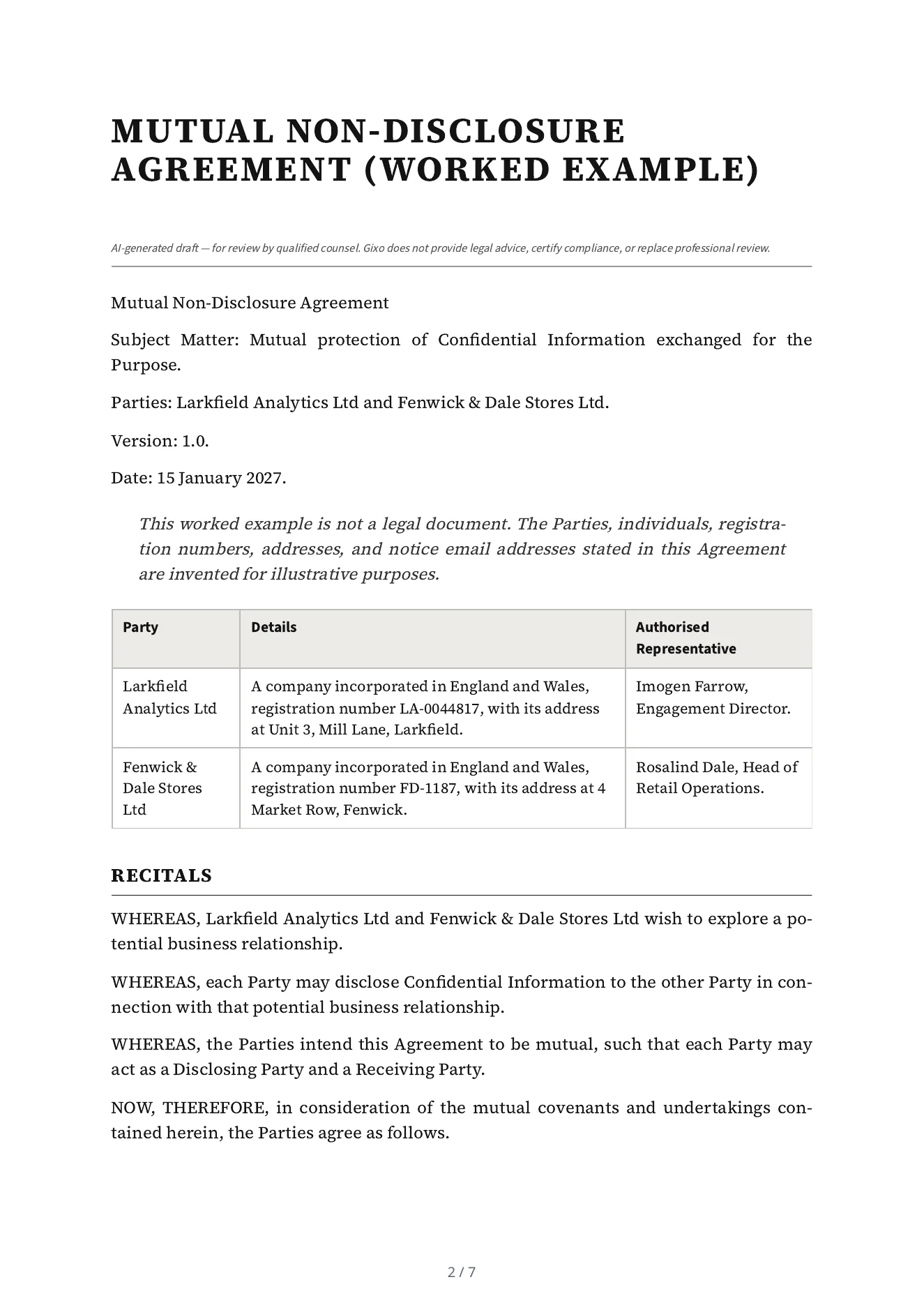
This is a real Lex export for invented parties. Inspect the input and clauses as a worked example, with professional review kept separate from automated drafting and checks.
A mutual non-disclosure agreement of 14 numbered clauses between two invented parties: definitions, confidential information, exclusions, obligations of the receiving party, permitted disclosures, return of materials, IP reservation, warranties, remedies, term and termination, survival, governing law, general provisions and signature blocks. Its first page says it is a worked example, not a legal document.
Draft a Mutual Non-Disclosure Agreement between Larkfield Analytics Ltd (Party A) and Fenwick & Dale Stores Ltd (Party B). Governing law: England and Wales. Effective date: 2027-01-15. Term: Two years from the effective date. Confidentiality: Three years after disclosure. A mutual agreement: each party may disclose and receive confidential information. State on the first page that the parties, people and addresses in this agreement are invented and that it is a worked example, not a legal document. The notice email address of Larkfield Analytics Ltd is notices@larkfield-analytics.example and of Fenwick & Dale Stores Ltd is notices@fenwick-dale.example (both invented). Use only these supplied facts and leave no placeholders or missing-fact markers: Document version is 1.0 (approved for this worked example). Place of execution: Fenwick, England (invented). Use 2027-01-15 as both the execution date and signature date, and treat each party representative's authority to execute as confirmed.
Read mechanically against the intake, not by a lawyer: 10 of 12 checked facts are in the draft (the two registration numbers are deferred to section 13 rather than printed verbatim), nothing is left as a placeholder, and 0 unstated terms appear outside the intake.
Supply the parties, document kind, jurisdiction, obligations, dates and reference material. Review imported content and retain its source identity before using it in a new matter.
Use the legal workspace's permitted structural tools, Draft Checks and review paths. Compare proposed changes with the saved draft and original material; unsupported Word edits must be handled explicitly.
Have qualified counsel review enforceability, local requirements and the actual commercial intent. Check the current approval state and the downloaded document after a change.
Select the target clause and give Ask Lex a bounded instruction. Missing facts remain visible for review. Inspect the before-and-after proposal, required clause checks and any explicit outside-matrix or mandatory-clause override before versioned application. Use the legal workspace's structural allowlist rather than assuming every general content-editor block is available.
Inspect immutable playbook versions, anchored findings, provenance and precedent variants before staging a change. Matters retain original sources, quotation findings and source-version comparisons. Review extracted obligations for timing, ownership and source revision; negotiation turns and agreement-pack review cells have their own decisions and current-version requirements.
Original-format Word export, tracked changes against an original and saved-version redlines are separate paths. Unsupported edits must be surfaced rather than silently claimed as preserved. Inspect the layout, validator notes and downloaded file, then retain its delivery receipt. Counsel's review applies to the actual matter and version.
Every contract in Lex, drafted or imported, gets an AI contract review: each clause the document type expects marked present, weak or absent; up to 25 risks with a level, the party each falls on, why it matters and replacement wording; and provisions that cannot both be followed. Every quotation is checked against the contract text, findings are decided before approval, and there is no single risk score. The same review reads the key terms and obligations with the words they quote and proposes them into the Agreement Pack. Review every document puts up to 25 documents of an Agreement Pack, or up to 200 in a matter, into one table with your own questions as columns and an Excel export. Approvers can be named in order, and signing supports up to 10 signers with an optional signing order and automatic reminders; it is a simple electronic signature, not a qualified one. A qualified reviewer still decides what the contract says.
Lex does not provide legal advice or certify compliance. The public specimen is not a universally reusable legal template. Word fidelity depends on the supported original-document and saved-version path; unrestricted Power Edit and image insertion are not legal editing features.
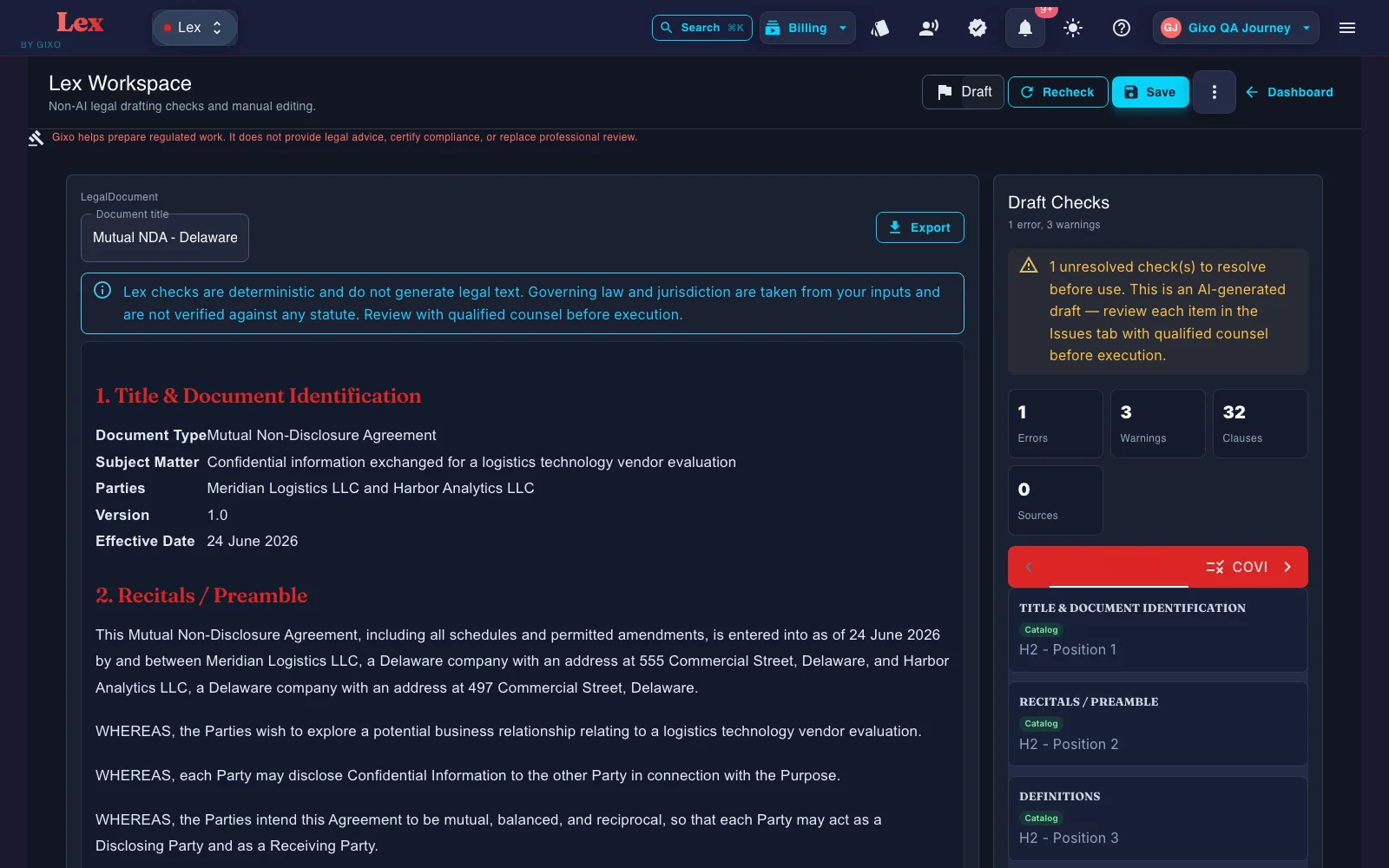
AI drafting for solo lawyers should reduce blank-page work while preserving professional review. Lex captures matter facts, party roles, document type, jurisdiction, governing law, and reference files, then prepares a first draft with visible review points. Gixo helps prepare regulated work. It does not provide legal advice, certify compliance, or replace professional review.
Built for in-house legal, legal ops, finance, audit, and compliance teams that need reviewable work product rather than generic AI answers.
AI for lawyers here means a first draft you can review: Lex prepares it from your matter facts, and the reviewing lawyer decides what is final.
Turn intake notes into draft instructions that can survive a later review pass.
Attach prior forms or negotiated agreements to keep recurring work aligned with familiar structure while surfacing what changed for the new client.
Before review, Gixo Lex runs a draft analysis pass: a clause inventory, missing-clause coverage, defined-term consistency, cross-reference validation, and execution-readiness checks.
Comments, review state, assignees, due dates, and versions stay attached to the same document, and each export is written to an audit log (who exported it, the format, and whether it succeeded) rather than stored with the document.
Export in PDF, DOCX, HTML, and TXT when the draft is ready for human refinement.
Lex does not replace practice-management, billing, docketing, or client communications software.
Reusing a prior form in practice: Solo practitioners comparing contract drafting software for lawyers often start with a familiar agreement — for example, a prior consulting agreement or mutual NDA — attached as reference material alongside the new client's party roles, fee terms, confidentiality period, and governing law. Lex builds a first draft that follows the attached structure, leaves unstated commercial details visible as open items, and runs Draft Checks before export. Matter-specific edits, inline comments, and revision history stay attached to the document so the reviewing attorney can verify every deviation from the prior form before sending the DOCX or PDF to the client or counterparty.
| Need | Lex fit | Boundary |
|---|---|---|
| First-pass contract drafting | Structured intake plus precedent files | Lawyer reviews, edits, and approves before use |
| Clause completeness checks | Visible missing-clause, defined-term, placeholder, and execution-field review | Does not decide enforceability or fairness |
| Repeatable client work | Reusable drafting patterns for common matters | Not a CLM or practice-management system; the matter office keeps sources, work products, and tasks per matter, with an optional client name, and has no billing or time tracking |
| Export and collaboration | Drafts can move into the lawyer's normal review tools | Final professional judgment remains outside the software |
Start with the solo-lawyer preset, replace the example facts, and keep professional judgment with the reviewing lawyer.
Updated