
SWOT Analysis Generator
Type out your Strengths, Weaknesses, Opportunities, and Threats, and Gixo Prism structures them into an exact four-quadrant SWOT matrix — no drawing boxes, no dragging labels into place. You bring the strategic thinking; Prism lays out the framework, on-brand, every time.
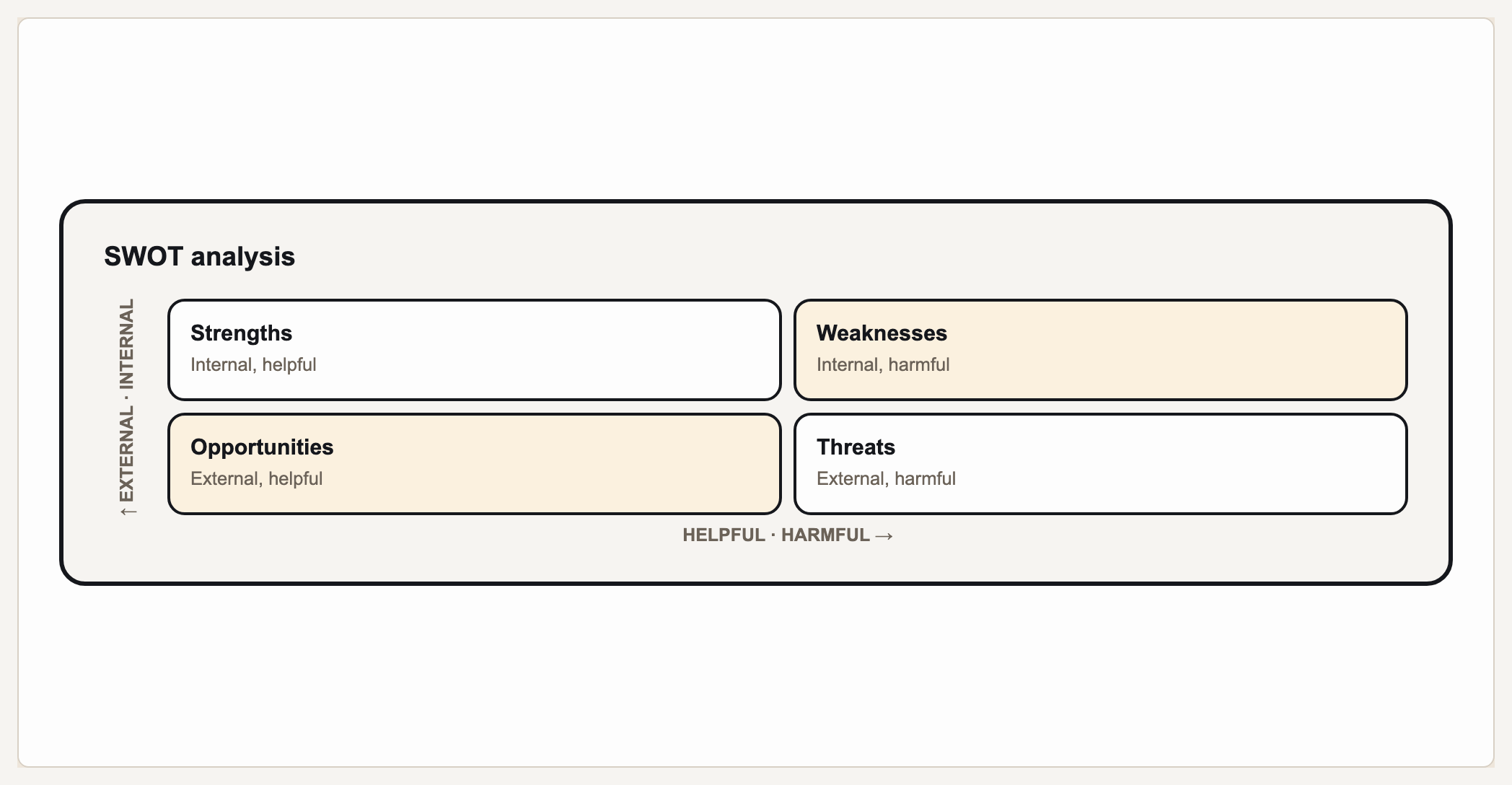
A SWOT analysis is a strategy framework that sorts what you know about a business, project, or decision into a 2x2 of four quadrants: Strengths and Weaknesses (internal factors you control) and Opportunities and Threats (external factors in your environment). Gixo Prism's diagram maker renders a four-quadrant matrix that holds a SWOT: you provide the points for each quadrant, label the axes Internal/External and Helpful/Harmful, and Prism places them deterministically, with no AI image model in the loop. There is no SWOT-specific geometry — it is the general 2x2, which is why the axis labels are yours to set. The strategic judgment is yours; Prism organizes and formats your inputs into a clean, on-brand SWOT diagram you can review and edit.
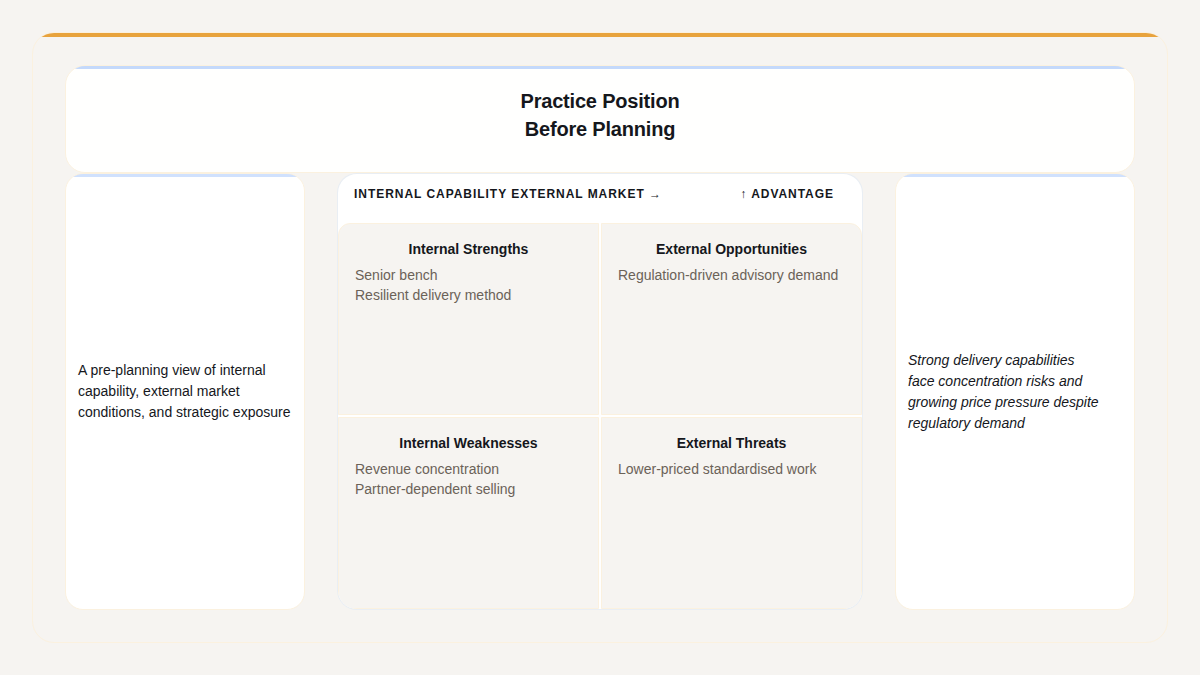
A real Gixo Prism SWOT. The quadrants carry what you wrote, not placeholder headings.
The four quadrants of a SWOT
A SWOT splits into two rows and two columns. The top row is internal — things about you. The bottom row is external — things about your market. The left column is helpful; the right column is harmful.
What you do well and the advantages you hold — capabilities, assets, reputation, or resources that are yours to use right now.
The gaps and limitations inside your control — missing skills, thin resources, or processes that hold you back.
Trends, market shifts, or openings outside your organization that you could act on to move ahead.
Risks in your environment you don't control — competitors, regulation, cost pressure, or changing demand.
Choose the quadrant for every point after making your SWOT assessment. Prism draws the 2×2 from the tags and axis labels you supply; it does not infer strengths, weaknesses, opportunities, or threats from prose.
Apply your brand palette and the SWOT stays consistent with every other chart and diagram you build in Prism — plus theme presets to start from.
How do you make a SWOT analysis with the Gixo Prism diagram maker?
Four steps from a blank grid to an exact, on-brand SWOT matrix. You do the thinking; Prism does the layout.
Write out your Strengths, Weaknesses, Opportunities, and Threats — the strategic judgment about what belongs where is yours.
Keep Strengths and Weaknesses to things you control, and Opportunities and Threats to your outside environment — that split is what makes a SWOT useful.
Choose Strengths, Weaknesses, Opportunities, or Threats for each point, then supply those quadrant assignments and your axis labels in the maker. Prism lays out the grid; you provide the SWOT assessment.
Pick a theme preset or your Brand Kit, review and edit, then export the SWOT as clean HTML/SVG for your deck, doc, or page.
Frequently Asked Questions
Explore the Prism visual toolkit
Updated