
Eisenhower Matrix Maker
Choose whether each task is urgent and important, important but not urgent, urgent but not important, or neither. Supply that quadrant assignment in Gixo Prism's 2×2 maker — do, schedule, delegate, or delete — and review the labels and layout. Your judgment determines the priority; Prism draws the grid from your tagged items without classifying a task from its wording.
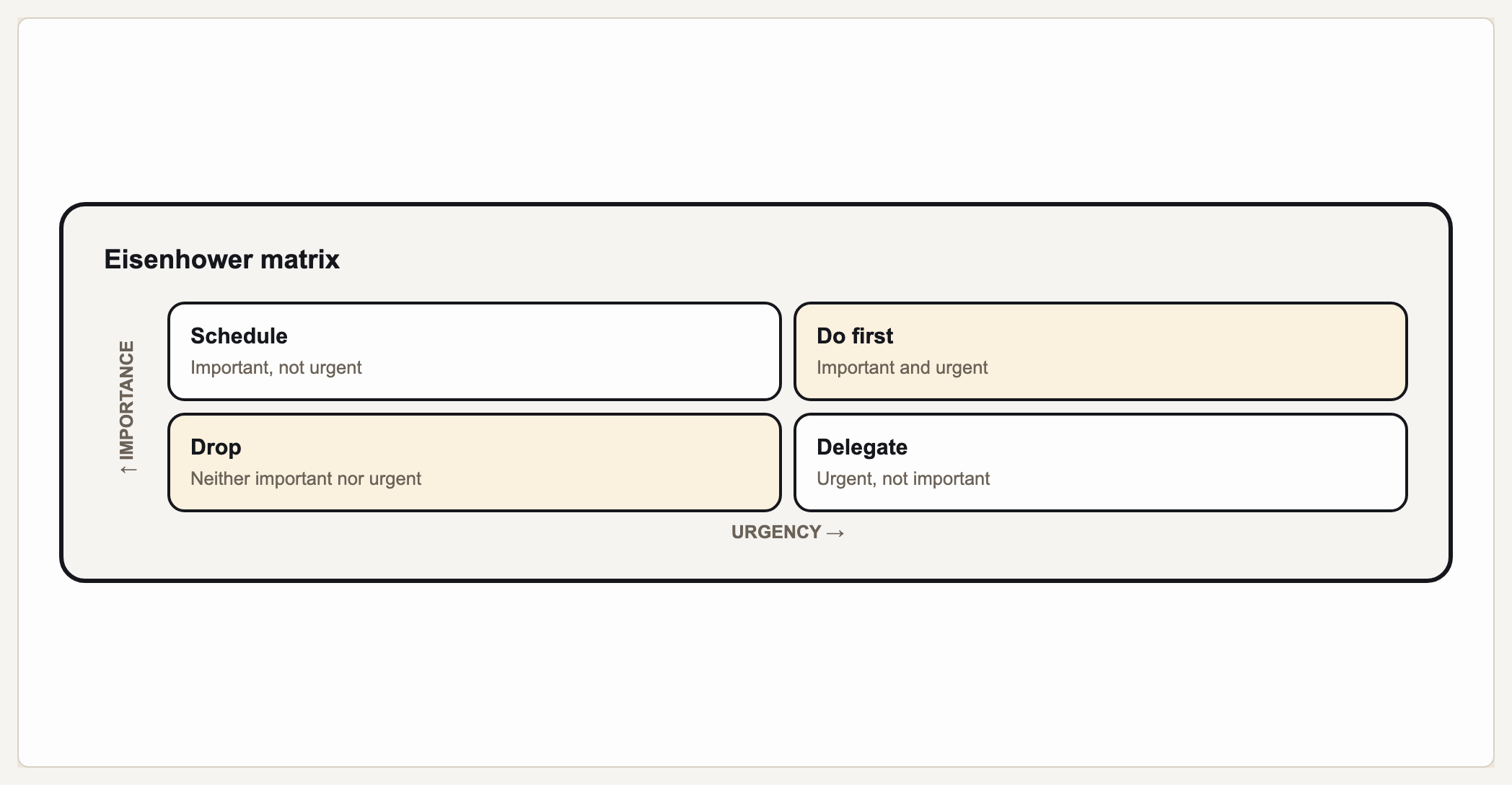
The Eisenhower matrix is a 2x2 that sorts tasks by two axes — urgency and importance — into four quadrants: urgent + important (do now), important but not urgent (schedule), urgent but not important (delegate), and neither (delete). Gixo Prism's diagram maker uses a dedicated matrix (quadrant) geometry built for exactly this: you type your tasks under each quadrant, set the axis labels to Urgent/Important, and Prism lays out the grid deterministically — no AI image model in the loop. The tasks you enter render in the exact quadrant you assigned, not an approximation.
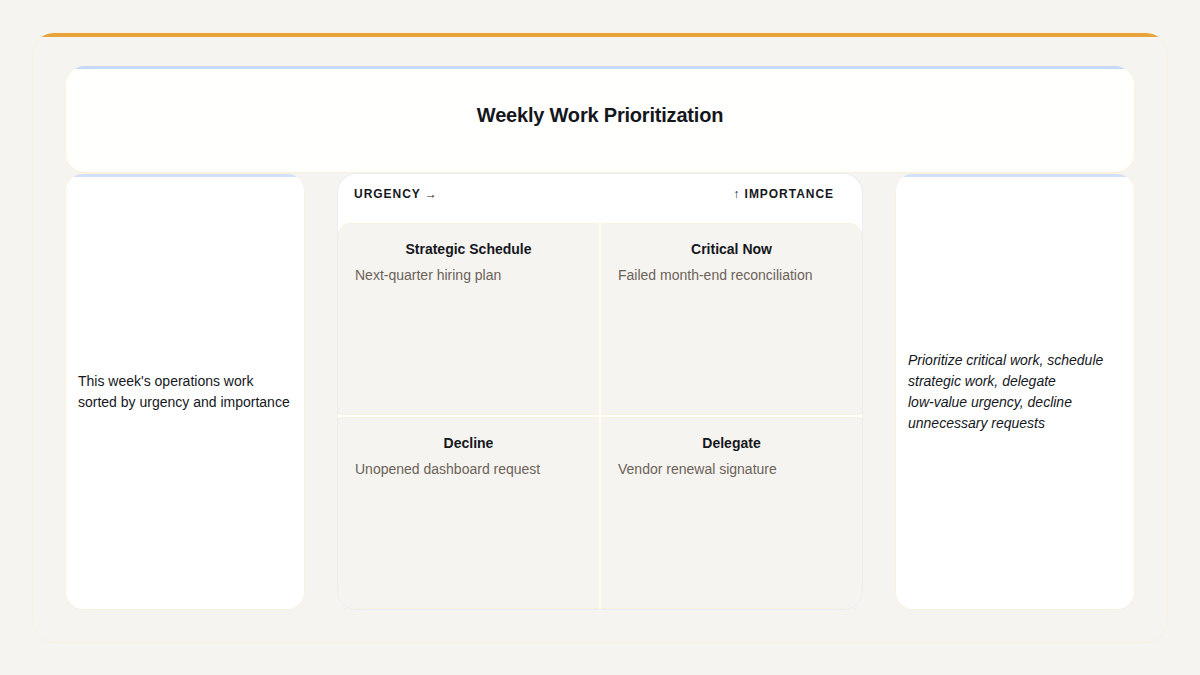
A real Gixo Prism Eisenhower matrix, built from a plain description of the week.
The four quadrants of the Eisenhower matrix
Every task falls into one of four boxes based on whether it's urgent, important, both, or neither — and each box has a clear action.
Crises, hard deadlines, pressing problems. These need your attention immediately, so handle them first and personally.
Planning, relationships, deep work, prevention. High-value tasks with no deadline pressure — block time for them before they become crises.
Interruptions, some meetings and emails, other people's priorities. They feel pressing but don't need you specifically — pass them to someone else.
Busywork, distractions, time-wasters. Not urgent and not important, so eliminate them to free up capacity for the first two quadrants.
What makes an Eisenhower matrix maker actually usable?
The urgent/important box is a simple shape — but every task has to land in the right quadrant, and the labels have to be clean, or the prioritization it's meant to drive falls apart.
You assign each task to a quadrant; Prism renders it there. No AI image model guesses the layout, so a "schedule" task never drifts into "delegate" and no label gets garbled.
The matrix geometry renders the two axes exactly as you name them — Urgent vs. Important by default, or your own wording for a team-specific priority matrix.
Label each quadrant with its action so the matrix reads as a decision, not just a grid — the whole point of the Eisenhower box is turning a task list into a prioritized plan.
Apply your brand palette and the matrix stays consistent with every other chart and diagram you build in Prism — plus theme presets (conservative, bold, brand-conservative, brand-bold) to start from.
Move a task to a different quadrant, reword a label, or switch the theme, and the matrix re-renders exactly. Export as clean, self-contained HTML/SVG to drop into a deck, doc, or page.
When a 2x2 isn't the right shape, the same diagram maker covers process, cycle, pyramid, funnel, tree, pillars, Venn, concentric, stack, and graph geometries — all deterministic, all on-brand.
How do you make an Eisenhower matrix with Gixo Prism?
Four steps from a task list to an exact, on-brand urgent/important matrix.
Name the X and Y axes — Urgent/Important by default, or your own wording for a team priority matrix.
Decide whether each task is do, schedule, delegate, or delete, and type it under the matching quadrant.
Choose the quadrant for each task and enter its assignment in the maker. Prism lays out your tagged tasks and supplied axis labels; urgency and importance are judgments you make before rendering.
Pick a theme preset or your Brand Kit, then export the matrix as clean HTML/SVG for your deck, doc, or page.
Frequently Asked Questions
Explore the Prism visual toolkit
Updated