
Gixo Prism · Output gallery
Infographic examples.
Choose the story first.
A useful infographic turns a specific question into a readable visual sequence. Inspect these three real Prism outputs to compare a process, a decision and a set of supplied numbers.
These are retained product examples with fictional or illustrative inputs, not customer results or fresh generation captures. Open every image at full size to inspect the labels.
Create an infographic with Prism →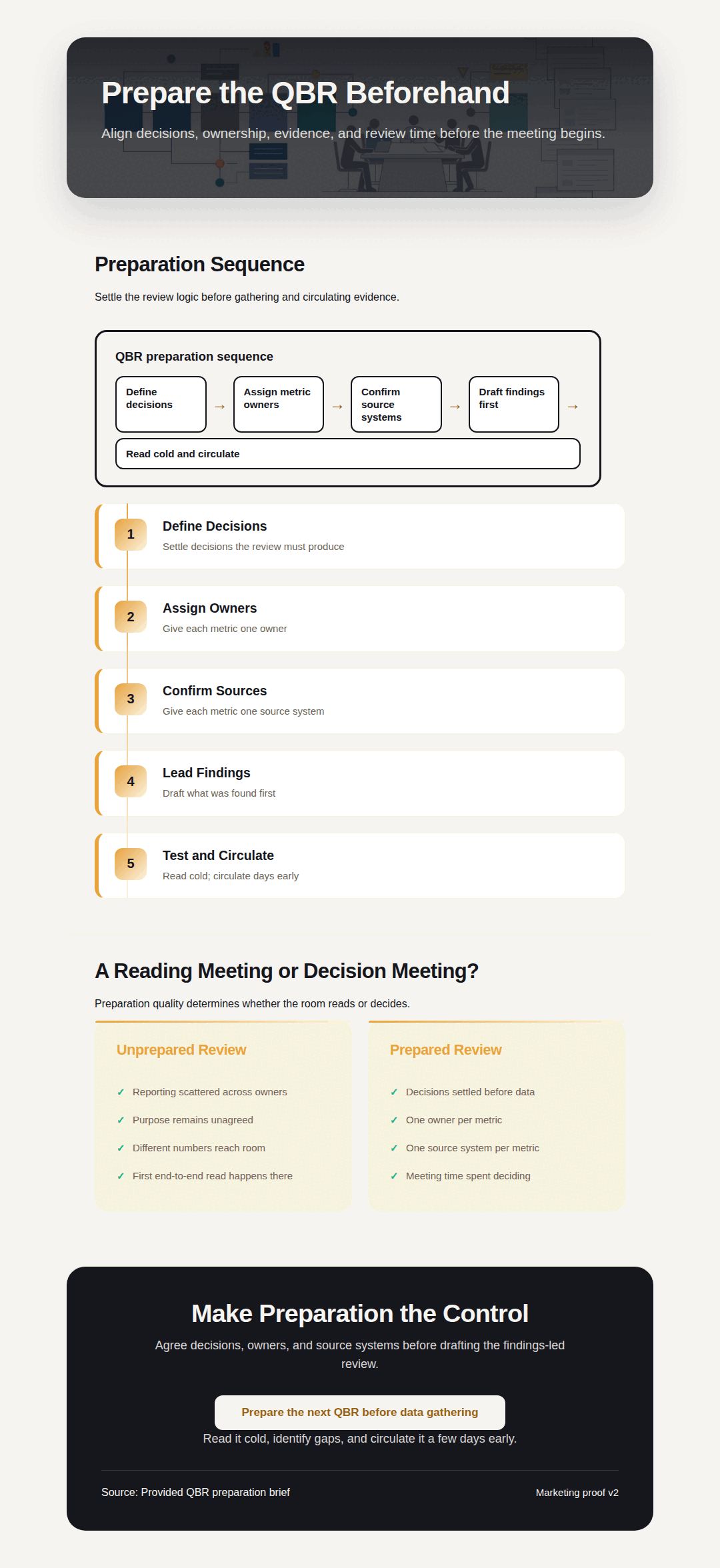
Process infographic
Prepare the QBR before the meeting
This process guide turns QBR preparation into five ordered steps. The job is to help the reader prepare evidence and decisions before assembling a deck.
How to read it
Follow the numbered sequence, then compare the prepared and unprepared treatments. The concluding action belongs after the preparation sequence, rather than competing with each step.
What to verify
Check that every step has a clear action, that the sequence matches your review process, and that the comparison does not imply measured performance.
Supplied instructional QBR brief. The image does not establish that a team followed the process or improved its results.
Comparison infographic
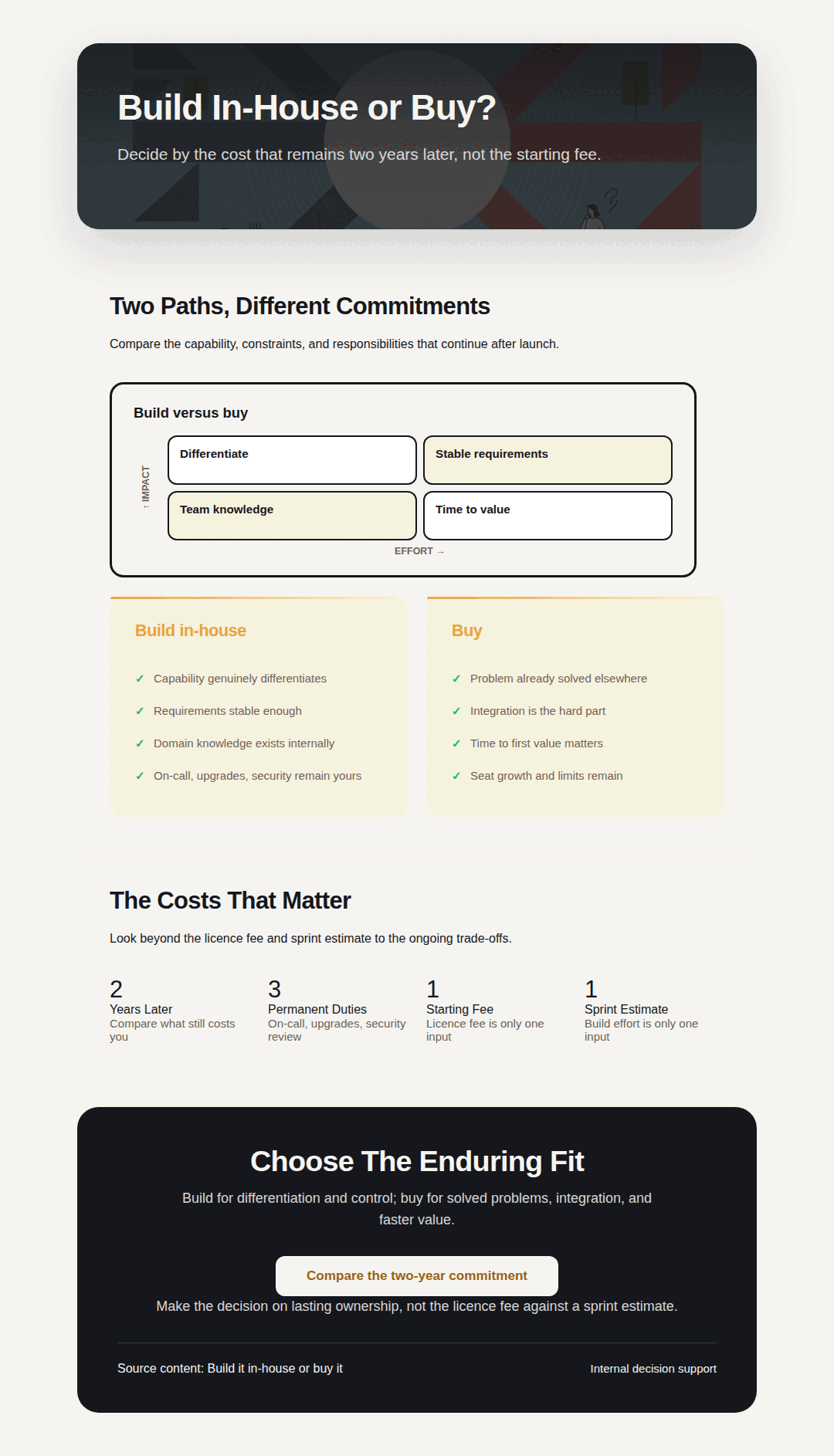
Build in-house or buy?
This comparison holds the decision criteria in one visual frame. Its purpose is to make the tradeoffs visible, not to prescribe the same choice for every organization.
How to read it
Read the common criteria before the alternative cards. Compare the same scope and time period; a one-time implementation and an ongoing responsibility are not interchangeable costs.
What to verify
Review the supplied assumptions behind two years, three duties, one fee and one sprint. Replace those illustrative assumptions with your own evidence before making a decision.
Fictional decision example. The labels are illustrative inputs, not a market benchmark, product price or measured return.
Data infographic
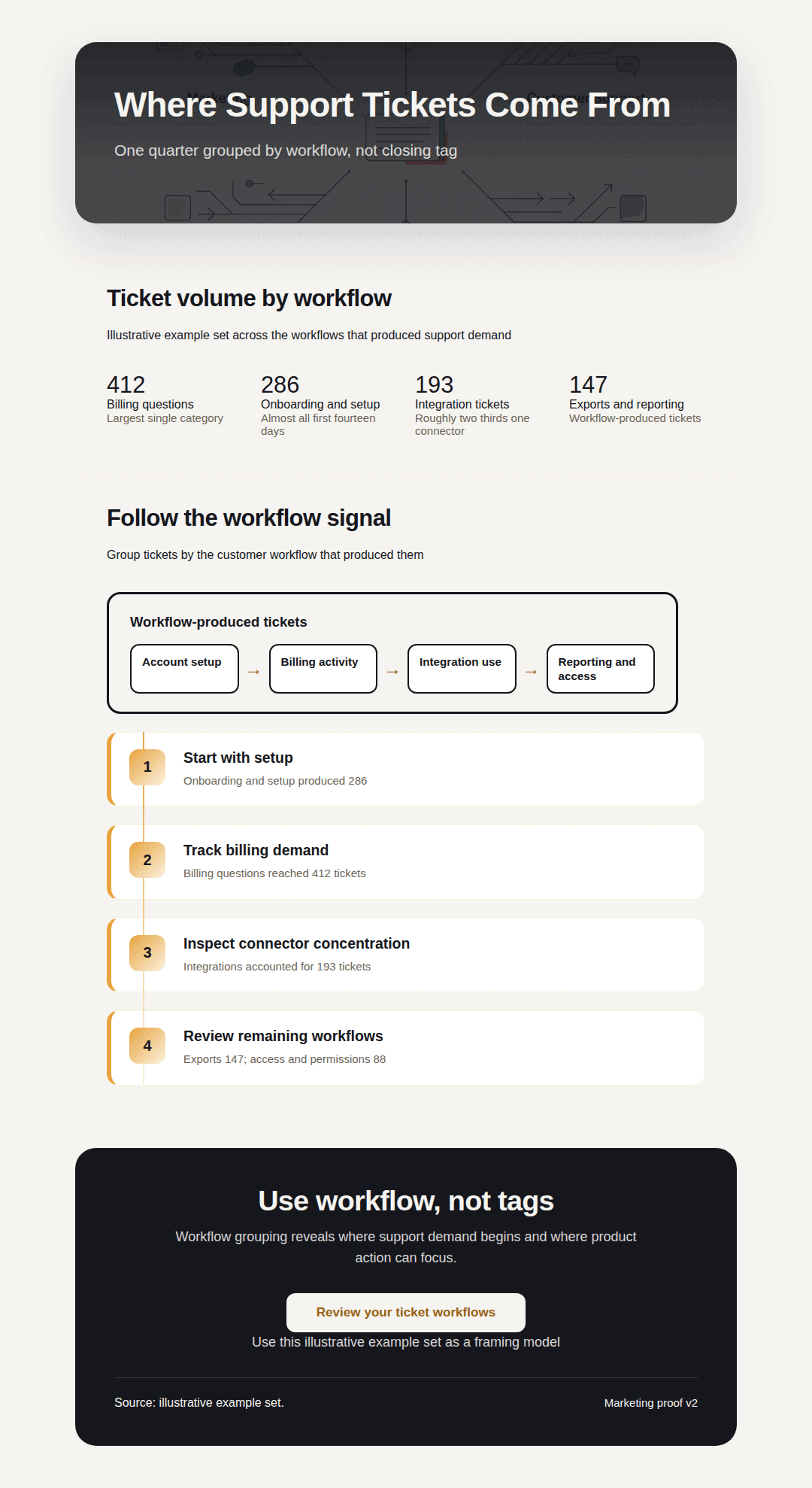
Where support tickets come from
This data story groups supplied support requests into categories: billing 412, onboarding 286, integrations 193, exports 147 and access 88. Together they total 1,126 requests.
How to read it
Compare the category counts, then read the suggested workflow actions. Counts describe the supplied distribution; they do not establish why a category occurs or whether an intervention will work.
What to verify
Confirm the observation period, category rules and whether one request can appear in several categories. None of those definitions can be inferred from the five counts alone.
Explicitly illustrative support data. No observation period or customer dataset is supplied; do not treat the example as a measured operating result.
Choose the format that answers the question
Use a process when order matters. Use a comparison when the reader needs to weigh alternatives against the same criteria. Use a data story when quantities explain a pattern, with units, periods and source definitions visible.
A long image can fit a document while becoming unreadable in a social feed. Review the intended reading size, shorten the message and provide an accessible text summary. Changing the canvas alone does not make small labels readable.
Continue with types of infographics, layout and reading order, or channel-specific campaign outputs. For quantitative parts of a whole, compare the worked stacked-bar examples.