
Build a book outline that holds up through the entire manuscript
An AI book outline generator turns your book's audience, promise, and outcome into a chapter-by-chapter plan before you start drafting. Gixo Folio keeps that outline attached to the manuscript through drafting, revision, review, export, and later editions, instead of handing you a one-off chapter list that goes stale the moment you start writing.
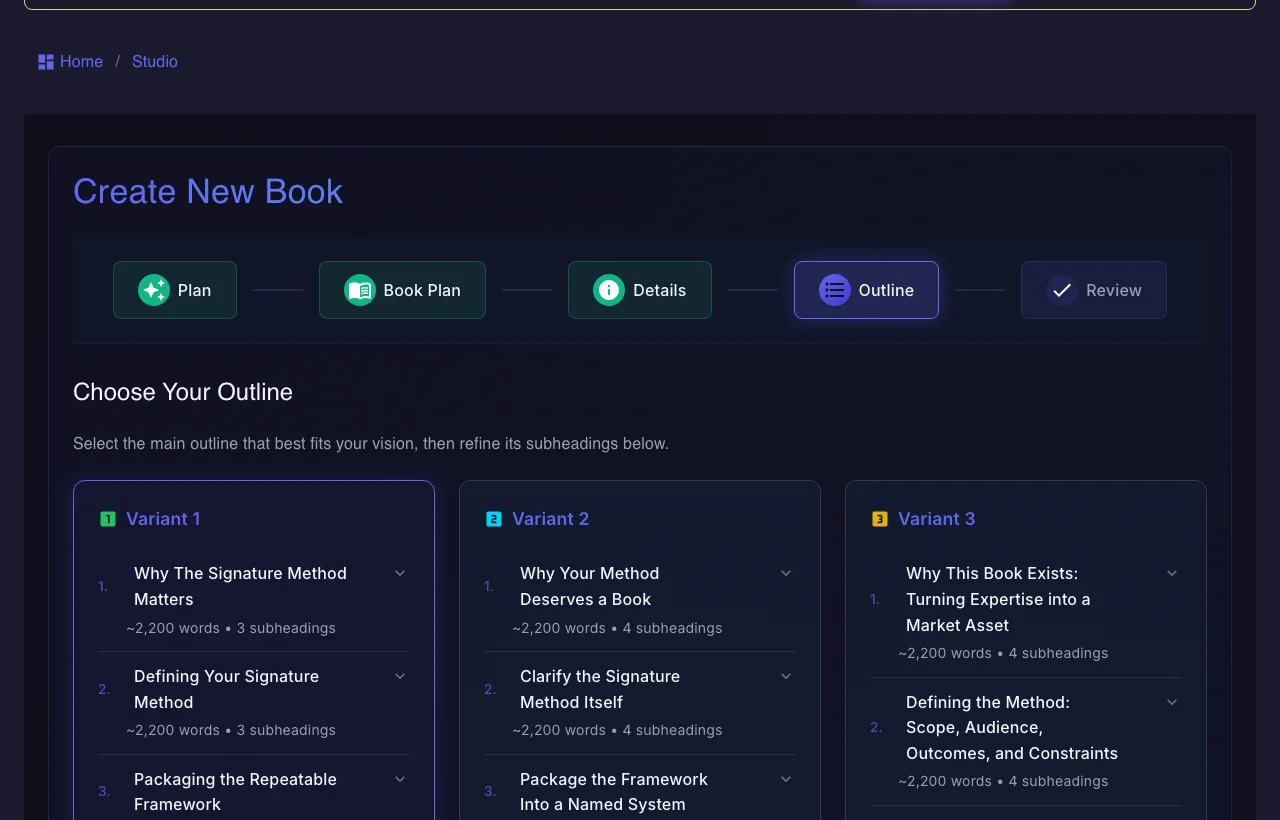
Use the persistent book workspace when the outcome is a real guide, authority book, training manual, client asset, or exportable edition.
If your manuscript is already finished and you only need specialist formatting or a dedicated fiction system, a focused tool may be the simpler choice.
What separates a useful book outline from a throwaway one
The outline has to be useful after generation, not just impressive in the first screen.
How do you generate a book outline with AI?
The order matters if you want the outline to hold up later.
How Gixo Folio outlines compare to generic generators
The difference is whether the outline survives contact with the draft.
| Decision area | Gixo Folio | Generic AI outline tool |
|---|---|---|
| Source context | Book brief plus manuscript goals | Prompt-only |
| Chapter continuity | Outline stays attached to drafting | Outline is usually a one-off output |
| Revision path | Refine structure before and during writing | Usually manual after generation |
| Best for | Structured nonfiction and authority books | Quick ideation |
| What happens next | Draft, review, export, and localize from the same base | Requires extra tools |
A typical AI outline tool can produce a chapter list fast, but the structure often disappears once drafting begins. That is why books drift, repeat themselves, or end up with chapters that no longer serve a clear role.
The missing piece is a workspace that keeps the outline attached to the manuscript.
Gixo Folio treats outline generation as the first step in the same manuscript workflow. That means the chapter plan remains visible while you draft, revise, review, export, and later create additional editions.
For structured nonfiction, that matters more than generating more outline options.
Frequently Asked Questions
Planning pages to read next
These are the most relevant next steps after reviewing the outline workflow.
More Gixo Folio pages
Related book writing, publishing, and alternative pages.
Updated