Is the Gixo flowchart maker free to use?
Building and previewing a flowchart is free and anonymous — no account, no card, and no AI charge, because the render is deterministic code running in-process. Taking the output away is the paid line: copying clean HTML without attribution and downloading PNG, PDF, and PPTX files all require an active Gixo Prism trial or plan. Downloading an HTML and SVG copy or embed is free and carries a visible Gixo Prism attribution, and a visual you have saved to your account downloads in every format with or without a plan. Gixo has no free tier; the trial is 14 days and needs no credit card.
What kinds of flowcharts can it build?
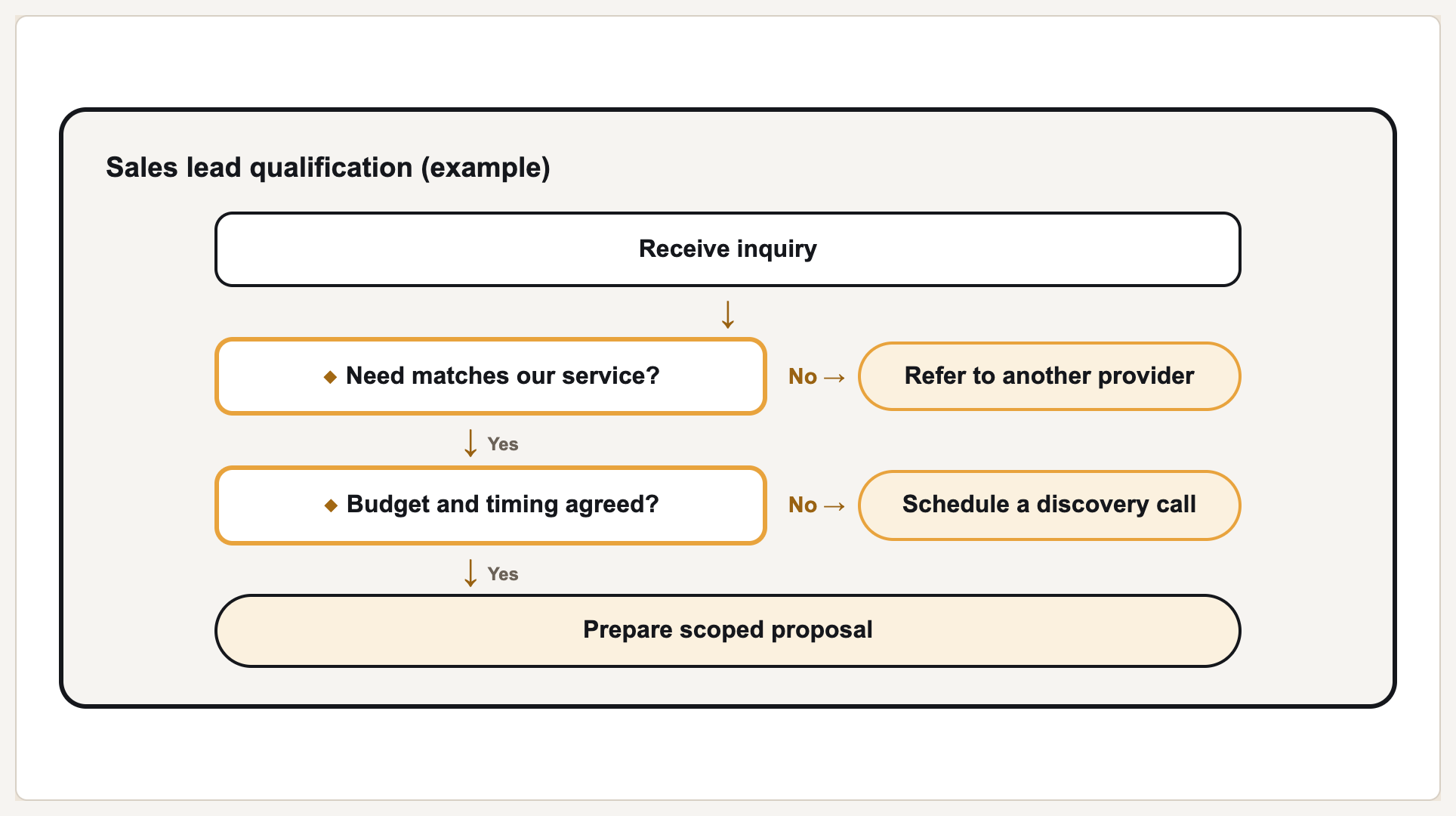
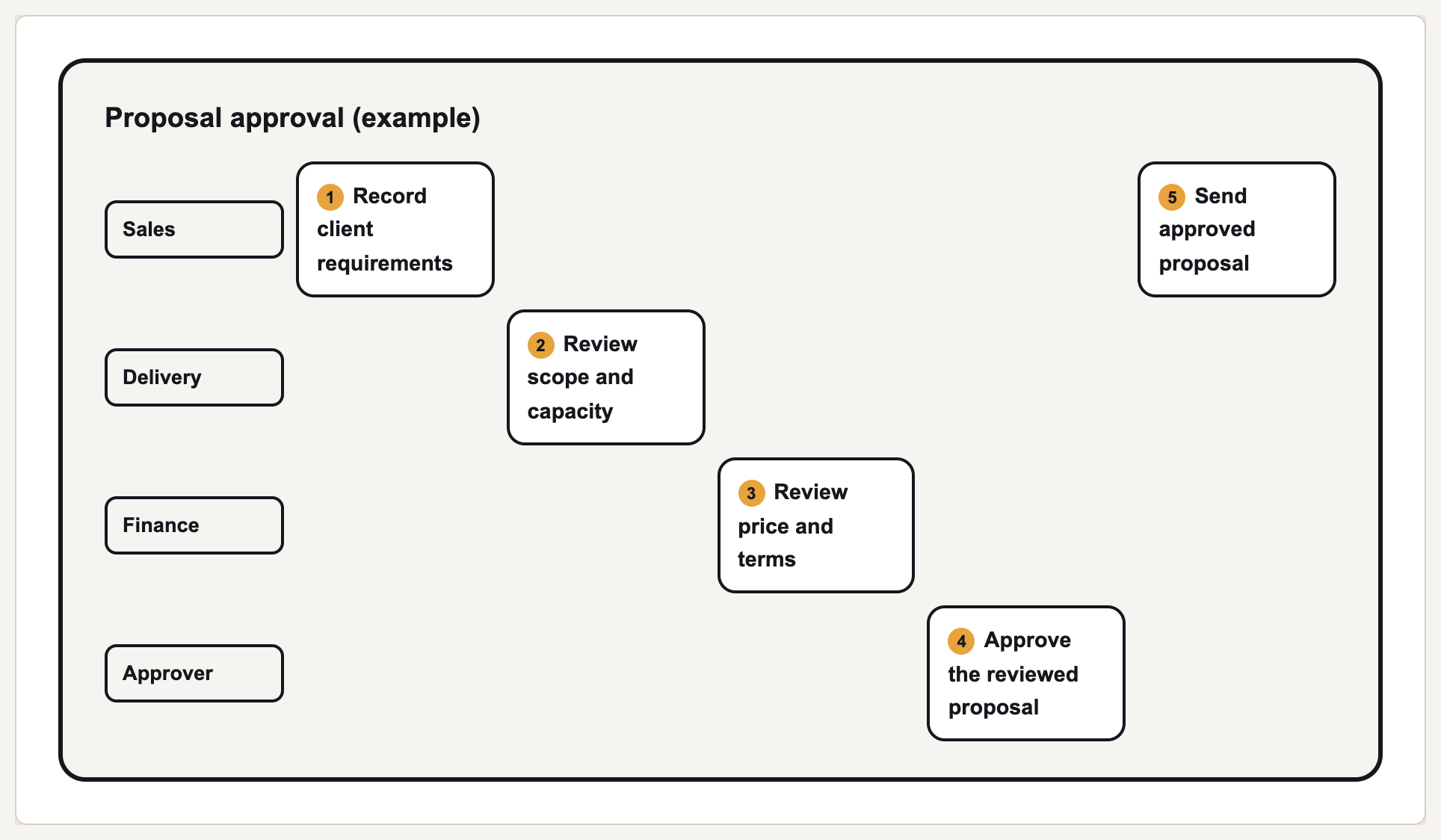
2: a decision flow, where rows are marked as steps, decisions, or outcomes and a decision can carry an “if No” branch; and a swimlane, where each row names the actor that owns it. Non-branching shapes such as process arrows, cycles, pyramids, and 2×2 matrices are in the
diagram maker instead.
How do I add a yes/no branch?
Set a row's type to Decision, then fill in the If No → field with what happens when the answer is no. That branch is drawn as a labelled pill beside the decision, and the arrow continuing down the main column is labelled Yes. A decision row with no “if No” value simply continues to the next step.
How do swimlanes work?
Give each step a lane or actor name. Lanes become rows in the order they first appear, steps become numbered columns in the order you entered them, and any step left without a lane name is placed in a lane called “Flow”. Reusing a lane name puts that step back in the same row rather than creating a new one.
Does it use AI to draw the chart?
No. There is no language model and no image model in this tool. Shapes, arrows, lane grid, and colour are computed by deterministic code from the rows you type, so the same input always produces the same chart and no label is ever invented, paraphrased, or garbled. Generating a visual from a written description is a separate paid path inside the Prism editor.
How many steps can one flowchart have?
Up to 200 steps per render. Beyond that the request is rejected with a message rather than silently trimmed. In practice a decision flow stays readable well below that; a swimlane adds one column per step, so wide charts scroll horizontally in the preview.
What file formats can I export?
HTML, SVG, PNG, PDF, and PPTX. The HTML and SVG exports are self-contained with inline styles, so a flowchart looks identical in the browser, in an export, and wherever it is pasted. Rendering and downloading an HTML or SVG copy are free and need no account; those copies carry a visible Gixo Prism attribution. Copying an attributed embed is free too. A Prism trial or plan removes the attribution and adds PNG, PDF and PPTX.
Do I need an account to use it?
No. The render endpoint is anonymous by design so directories, roundups, and AI answer engines can reach a working tool rather than a sign-in screen. It is rate-limited per visitor at 20 renders a minute, with a burst allowance of 40. Saving work needs an active Prism or Lumen trial or plan. Reopen saved work with an account that has Prism or Lumen product access. Attributed HTML and SVG downloads are available without a plan. Clean premium downloads follow the access shown in the output options.
Can I import a flowchart from Visio, Lucidchart, or Mermaid?
Not directly on this maker: it accepts the numbered rows or a pasted plain-text list. Prism does not import
.vsdx or Lucidchart files, but bounded Mermaid flowchart syntax is supported through the
Mermaid converter and the signed-in Prism artifact library; imported Mermaid graphs can be exported back to Mermaid.