
Card Maker
Turn a number, a quote, or a definition into a clean, on-brand card you can drop into a post, a deck, or a doc. Deterministic rendering of accepted fields; review text fit in the output.
About this maker and export access
The Gixo Prism Card Maker renders 5 kinds of text card — stat, quote, callout, definition, and comparison — from two or three typed fields each. You pick the type, fill the fields, choose one of 4 theme presets, and Prism draws the card deterministically from accepted fields, with inline styling. Review text fit and the actual destination when pasting into a post, a deck, a doc, or a PDF. No AI model writes, rewords, or reformats anything, and no account is needed to render or preview. Rendering, the on-page preview and an HTML and SVG download are free, the download carrying a visible Gixo Prism attribution; copying clean HTML without attribution and downloading PNG, PDF, and PPTX require a Gixo Prism trial or plan — the trial runs 14 days with no card. A card you have saved to your account downloads in every format, with or without a plan. Gixo's public tools are free. Folio also supports import and manual manuscript writing without a subscription; account permissions and limits apply. New AI generation uses eligible trial or paid access: a 14-day no-card trial, then a paid plan for continued generation.
Why teams use Prism
More
Start from an example
Brand colors
Applies to this visual and its exports. Your saved Brand Kit stays unchanged.
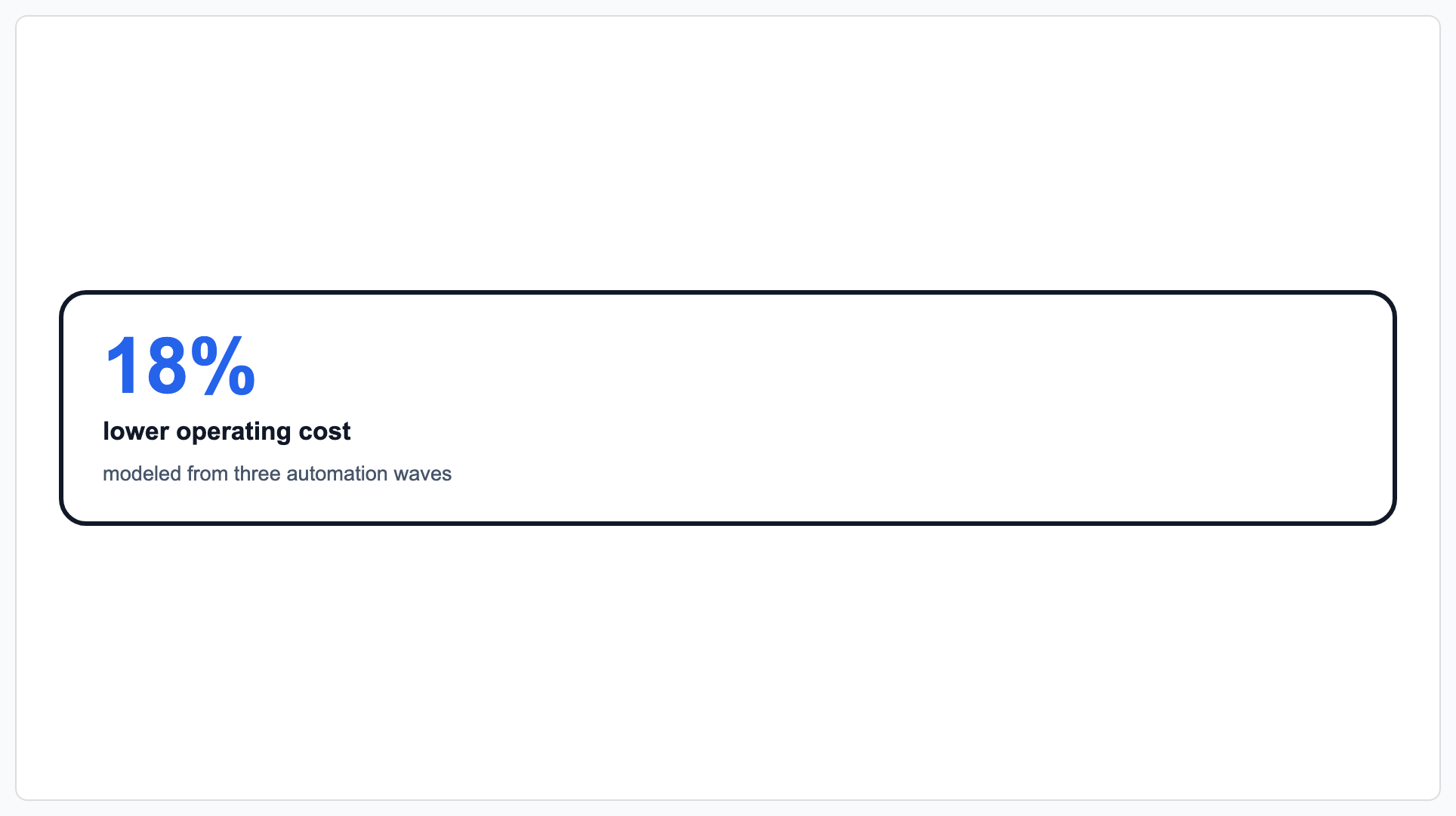
Edit your data on the left to update the live preview, or click Make card for full export and editing options.
What each card type needs and what it renders
Every card is drawn by the same deterministic renderer: a 3px ink border, an 18px corner radius, and a 560px maximum width, with all styling written inline so the card keeps its design wherever it is pasted. PNG uses a 760 × 520 pixel canvas, PDF uses a tight single page sized to the card, and PPTX uses editable native shapes on a presentation slide. 9 starting templates are preloaded, including ROI stat, Executive quote, and Risk callout.
| Card type | Fields you fill | What Prism renders | Use it for |
|---|---|---|---|
| Stat | Value, Label, Context (optional) | The value set at 3.2rem in the accent colour, above a bold label and a muted context line | One quantified proof point at the top of a slide or memo |
| Quote | Quote, Attribution | A 1.4rem pull quote with an 8px accent rule down the left edge and an attribution caption | A stakeholder, customer, or interview line you want read, not skimmed |
| Callout | Kind (Note, Warning, Tip, Risk…), Body | An accent-tinted block with the kind set in uppercase letter-spaced type above the body | A caveat or condition you do not want buried in body copy |
| Definition | Term, Definition | The term at 1.3rem in bold above a muted definition line on the card background | First use of a term a reader outside your team will not know |
| Comparison | Title (optional), Table data (CSV / rows) | A side-by-side table with a bold, shaded header row and every cell ruled in the ink color | Weighing 2–3 options, before/after, or feature plans side by side |
Card Maker FAQ
What kinds of card can the Gixo Card Maker make?
5: a stat card (a large number with a label and optional context), a quote card (a pull quote with attribution), a callout card (a labelled Note, Warning, Tip, or Risk block), a definition card (a term with its definition), and a comparison card (a side-by-side table across shared attributes).
Does the Card Maker use AI to write the card?
No. The Card Maker makes no AI model call. It takes the text you type and renders it through a fixed converter, so the same accepted fields and settings produce the same rendering. Review normalization, text fit and the actual export; the converter does not independently validate the wording. If you want a model to draft the wording or build a Campaign kit for every channel, that is Gixo Prism's paid generation path, not this tool.
Do I need an account to use the Card Maker?
No. The page is public and anonymous — you can render and preview cards without signing up or handing over an email address. Anonymous runs are attributed to a visitor and session cookie for usage counts only; they are not saved into a Gixo account or document library.
What is free and what needs a paid plan?
Rendering a card and previewing it on this page are free and need no account, subject to visitor rate limits. Downloading an HTML or SVG copy or copying an attributed embed is free too; those copies carry a visible Gixo Prism attribution. Copying clean HTML without attribution and downloading the card as PNG, PDF, and PPTX require a Gixo Prism trial or paid plan. A card you have saved to your account downloads in every format, with or without a plan.
Is there a free Gixo plan?
Gixo's public tools are free. Folio also supports import and manual manuscript writing without a subscription; account permissions and limits apply. New AI generation uses eligible trial or paid access: a 14-day no-card trial, then a paid plan for continued generation. Gixo Prism has no standing $0 tier. The deterministic tools on this page stay open to anonymous visitors, subject to visitor rate limits.
Can I apply my own brand colours?
Yes. Open Brand colors to enter HEX values or use the color pickers for accent, text, and background. You can do this without an account. Signed-in users can also reuse a saved Brand Kit, and the built-in theme presets remain available.
What file formats can a card be exported as?
HTML, SVG, PNG, PDF, and PPTX. HTML and SVG stay vector and text-selectable; PNG uses a 760 × 520 pixel canvas, PDF is a tight single page sized to the card, and PPTX uses editable native slide shapes. The paid boundary is clean output without attribution and the PNG, PDF and PPTX exports; rendering, previewing and an attributed HTML or SVG download are free.
Will the card look the same outside Gixo?
The card carries inline styling for its supported colours, borders and type. Inspect a pasted email or CMS and the actual PDF export: host CSS, available fonts and browser behavior can still affect the result.
What can the Card Maker not do?
It does not generate an image from a description, chart your data, or lay out a multi-panel infographic. It renders one text card at a time from fields you supply. For charts use the Gixo chart maker, for process visuals the diagram and flowchart makers, and for generated infographics and Campaign kits the paid Gixo Prism workspace.
More Prism tools: Chart maker · Diagram maker · Flowchart maker · All of Gixo Prism →
Updated