
Napkin AI Alternative
Napkin AI turns prose into visuals fast and keeps ideation flexible. Gixo Prism is the Napkin AI alternative for when "nothing is fixed" is the wrong promise: the diagram or chart has to be exact, editable, and on-brand, and the value you put in is the value that comes out.
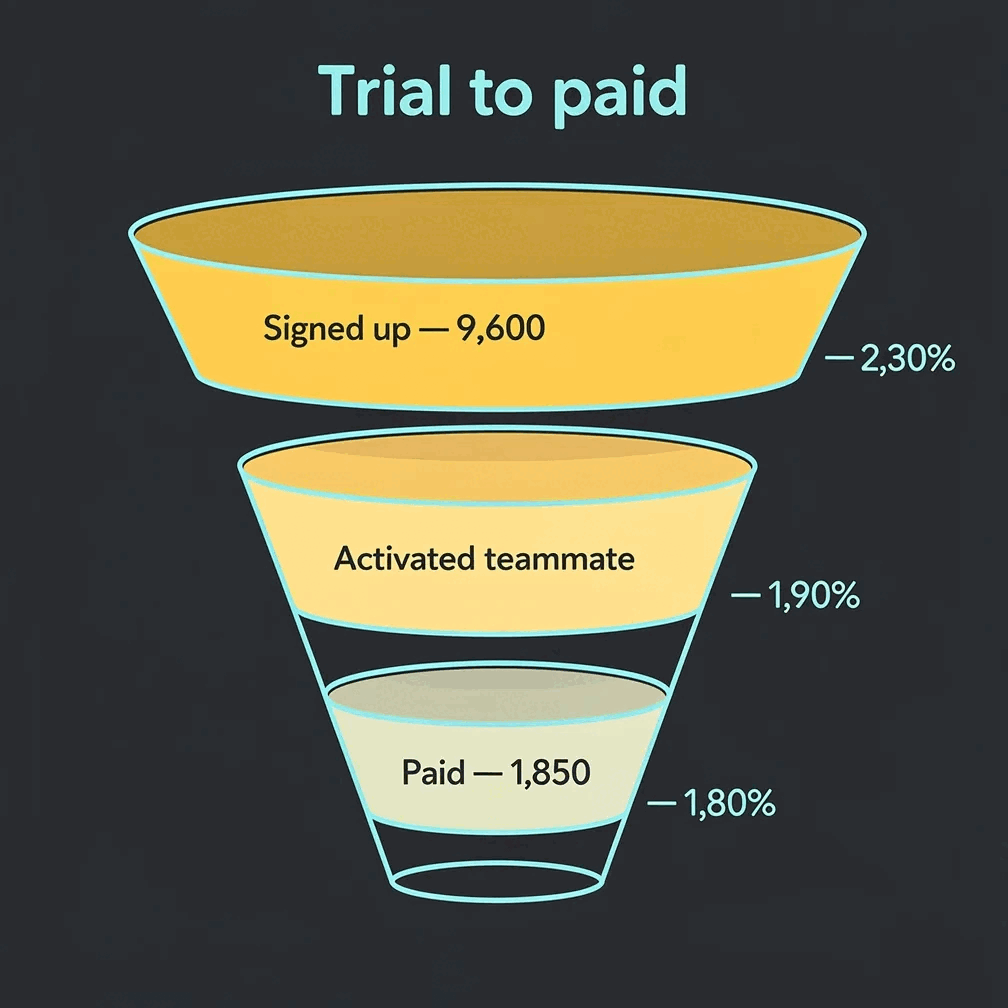
The visual stays useful after it leaves Prism.
Prism is designed for work that gets reviewed, edited, exported, and reused—not just admired in a feed.
Gixo Prism is the Napkin AI alternative built for when a diagram or chart has to be exact, editable, and on-brand — not just fast. Its chart, diagram, flowchart, and card makers are deterministic (no AI image model in the loop), rendering your real data into clean SVG/HTML and exportable PNG/PDF/PPTX so the number you enter is the number that appears and labels never garble. Napkin AI stays faster for prose-to-visual drafting; Prism is built for the moment that visual carries real data, your brand, and a number someone will check. On price, Gixo Prism starts at $10/month after a 14-day no-card trial, with the Brand Kit on the Business plan, and Napkin AI's paid Plus plan is about $9 per person per month with a free tier that brands its exports — the Napkin figure is a published third-party list price as of mid-2026, not a Gixo price, so confirm the current number with Napkin.
When should you use a Napkin AI alternative instead of Napkin?
Napkin shines at turning a paragraph into a quick visual. Prism is built for the moment that visual carries real data, your brand, and a number someone will check.
Paste a CSV or your numbers and get a clean chart — bar, line, area, pie, donut, or scatter. Rendered to SVG, so the values are always correct.
Describe a structure or paste steps and pick the shape: process, cycle, pyramid, funnel, tree, pillars, matrix, Venn, concentric, stack, or graph.
Map a decision flow or a swimlane and Prism lays it out cleanly, with exact labels and consistent spacing — not a redrawn approximation.
Turn a single number, quote, callout, or definition into a sharp, on-brand card you can drop into a deck, doc, or post.
The makers use no AI image model, so the same input always produces the same exact output — no garbled labels and no invented figures.
Prism applies your brand palette across every chart and diagram, so a whole batch of visuals stays consistent instead of one-off.
Change the data, labels, and layout and the makers re-render exactly. Export maker visuals as clean HTML, SVG, PNG, PDF, or PPTX.
When you want a narrative piece from a topic or draft, Prism shapes it into a structured, content-backed infographic you can edit and export as PNG or HTML.
Need illustrative imagery? Generate a coordinated set of on-brand AI images for a campaign or deck — kept visually consistent across the set.
How do you make a diagram or chart that stays exact in Gixo Prism?
The same fast path, but the output is something you can trust in front of a client.
Paste a CSV for a chart, or describe a process or paste steps for a diagram or flowchart.
Choose a chart, one of the 11 diagram geometries, a decision-flow or swimlane flowchart, or a stat card.
Adjust the data, labels, and layout. Prism renders every value it uses exactly, rejects a draft carrying a figure absent from your source, and applies your brand palette across the set.
Take a maker visual as clean HTML, SVG, PNG, PDF, or PPTX into your deck, doc, or page. AI infographics also export as PNG.
Gixo Prism vs Napkin AI: which one should you use?
Two good tools that answer different questions. Here's the honest split — and why many people keep both.
- Napkin AI is fastest for prose-to-visual. Drop in a paragraph and it auto-suggests diagrams and visuals on the fly — ideal for thinking out loud, drafting, and getting a rough picture in seconds. That speed and simplicity is genuinely its strength.
- Gixo Prism is built for exactness. Its chart, diagram, flowchart, and card makers are deterministic — no AI image model in the loop — so a CSV becomes a correct chart and a process becomes a precise diagram with labels that never garble. You get 16 chart types and 11 diagram geometries you choose, not an auto-guess.
- Brand governance is where Prism pulls ahead. Your brand palette is applied across every chart and diagram, so a batch of visuals looks like it came from one team rather than one-off auto-styling.
- Export is practical. Prism's makers export clean, self-contained HTML, SVG, PNG, PDF, and PPTX. Napkin exports PNG and PDF, while staying strongest for flexible prose-to-visual drafting.
- Price. Paid plans start at $10/month for Starter (one seat), with Professional, Business and Enterprise above it; the Brand Kit, which applies your own colours and typeface, is a Business-plan feature. There is no free plan, and the 14-day trial runs at Starter level and needs no credit card. Napkin AI's paid Plus plan is about $9 per person per month, and its free tier puts Napkin branding on exports. The Napkin figure is a published third-party list price as of mid-2026, not a Gixo price — confirm the current number with Napkin.
- Use both. Sketch and think in Napkin for speed, then rebuild the visuals that carry real numbers or go in front of a client in Prism, where the data stays exact and on-brand.
Frequently Asked Questions
Explore the Prism visual toolkit
Updated