
Prepare terms-of-service drafts that match the actual product and still expect review
Use Gixo when product, operations, and legal teams need a first draft shaped by platform rules, subscriptions, user content, privacy references, and dispute structure before counsel review and publishing.
An AI terms-of-service generator is a structured drafting workflow that prepares a first ToS draft shaped by your actual platform rules, billing and subscription structure, user-content and IP terms, and privacy-policy references — not a generic web-template filler. Gixo's version captures platform-specific rules, acceptable-use and account logic, and dispute assumptions during intake, then generates a draft built for legal and product review before publishing. It does not provide legal advice or certify compliance on its own; the draft still requires qualified legal review.
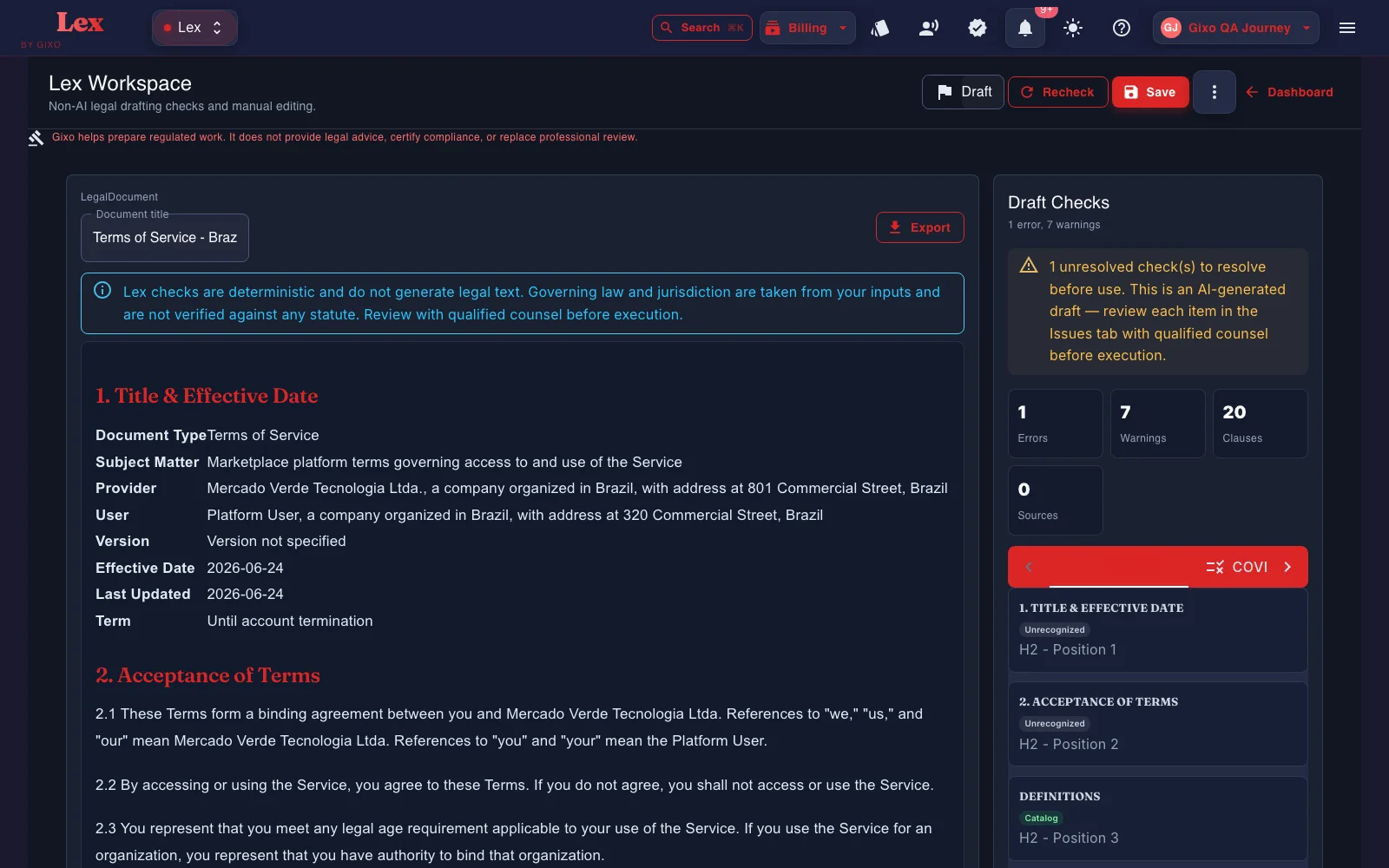
What does an AI terms of service generator need to produce a usable draft?
The job is not to ask AI for a legal answer. The job is to prepare a draft or artifact that a qualified reviewer can actually work with.
Capture the product model, acceptable use rules, and account-management logic before the first draft is generated.
Shape the draft around subscriptions, renewals, cancellations, credits, and service changes instead of relying on generic web-template language.
Bring ownership, licenses, DMCA or notice-and-takedown structure, and user-content assumptions into the drafting workflow.
Tie the draft to privacy-policy and data-handling references without pretending a terms draft alone makes the product compliant.
Reference files and governing context can shape the draft. Lex does not show clause-level source provenance, so reviewers should verify authority and supporting facts independently.
After the first draft, Lex can run a deterministic contract review: clause coverage against a versioned playbook, clause-conflict detection, and defined-term and cross-reference checks. Findings, tracked-change DOCX redlines, comments, review state, assignees, due dates, and version history all stay attached to the same document. Reviewers still verify every clause and conclusion.
How do product and legal teams use an AI terms of service generator?
Start with the site, SaaS product, or app, then capture the user journey, billing model, and user-content assumptions.
Bring acceptable use, suspension, termination, IP, privacy references, and dispute assumptions into the intake before generation.
Prepare the first draft in the workspace so legal and product reviewers can tighten the clauses that matter for the actual service.
Export in PDF, DOCX, HTML, and TXT once the draft is ready for the next review or publishing workflow.
How does Gixo's AI terms of service generator compare to alternatives?
| Capability | Gixo | Template generators | Consent platforms | General AI |
|---|---|---|---|---|
| Main job | Structured ToS drafting | Generic forms | Consent workflow | Prompt output |
| Platform-specific terms | Yes | Basic | No | Inconsistent |
| Privacy-policy and data references | Yes | Basic | Workflow layer | Inconsistent |
| Direct legal advice | Not included | No | No | No |
| Review workflow on the document | Yes | No | No | No |