
Funnel Chart Maker
Type your funnel stages and values and Gixo Prism renders an exact funnel — top-to-bottom stages narrowing as your numbers do. Awareness to purchase, lead to close, visit to signup — no manual shape-drawing, no dragging bands to size, no AI image model guessing at your data.
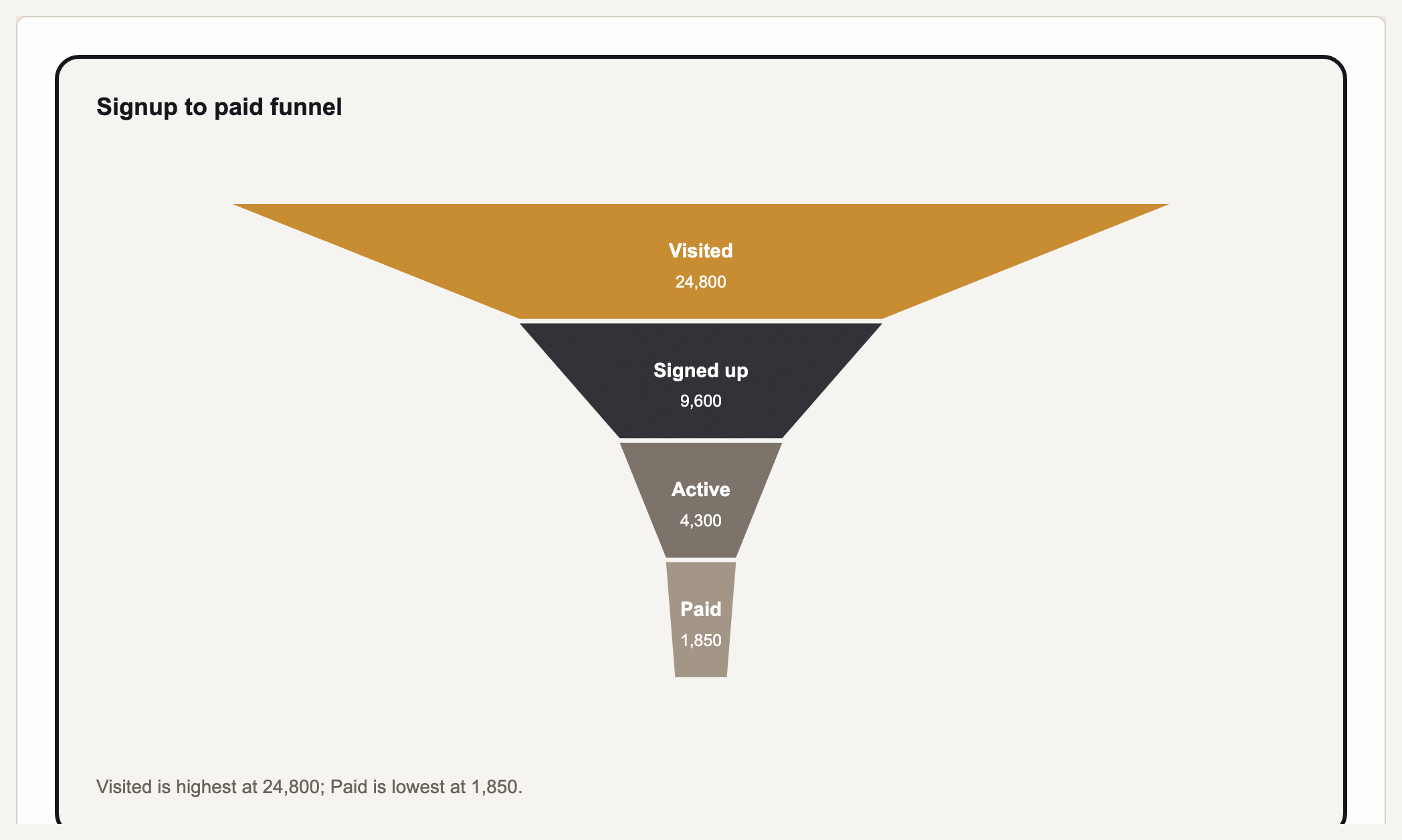
A funnel chart shows a sequence of stages narrowing from top to bottom — like a sales or marketing funnel where a large audience at the top drops off stage by stage toward a smaller set of conversions at the bottom. Gixo Prism's diagram maker has a dedicated funnel geometry built for exactly this: you type your stage labels and their values, and Prism lays out each band in order, sized to the number you entered, with no AI image model in the loop. The stages you type are the stages that render, in the exact order and proportion you meant, every time.
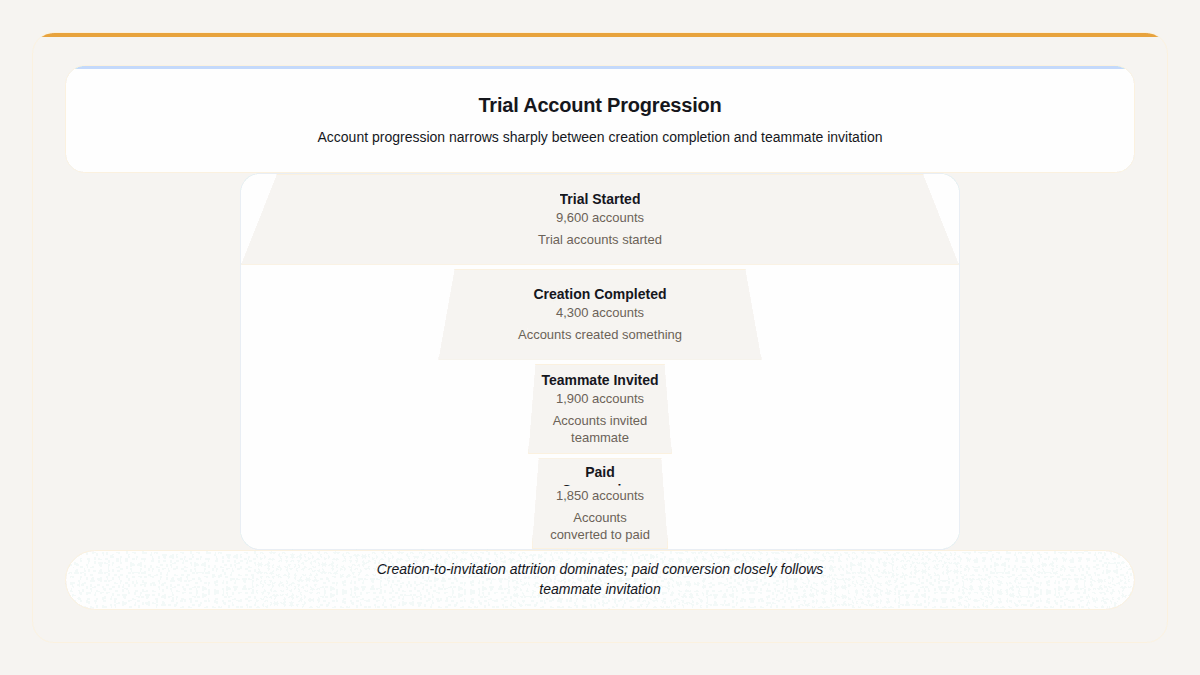
A real Gixo Prism funnel. The band widths are the figures — 9,600, 4,300, 1,900 and 1,850 — not a fixed taper.
What makes a funnel chart maker actually usable?
A funnel looks simple — a stack of narrowing bands — but the stage order, labels, and relative sizes all have to land exactly right, or the drop-off story it tells is wrong.
Name every stage yourself — Awareness, Interest, Consideration, Purchase, or whatever fits your pipeline. Prism's funnel geometry renders exactly the stages you type, top to bottom, in the order you enter them.
Each band is drawn to the value you give it, so the narrowing matches your real drop-off — not an AI's approximation of it. Deterministic layout: geometry derived from the accepted values, with display precision to review.
Lead-to-close sales pipelines, awareness-to-purchase marketing funnels, visit-to-signup conversion flows, hiring or onboarding stages — the funnel geometry fits any narrowing sequence you can name.
Apply your brand palette and the funnel stays consistent with every other chart and diagram in Prism — plus 4 theme presets (conservative, bold, brand-conservative, brand-bold) to start from.
Rename a stage, change a value, add or remove a band, or swap the theme, and the funnel re-renders exactly. Export as clean, self-contained HTML/SVG to drop into a deck, doc, or page.
When a funnel isn't the right shape, the same diagram maker covers process, cycle, pyramid, matrix, tree, pillars, Venn, concentric, stack, and graph geometries — all deterministic, all on-brand.
How do you make a funnel chart in Prism's diagram maker?
Four steps from a list of stages to an exact, on-brand funnel diagram.
Type each stage top to bottom — Awareness, Interest, Consideration, Purchase, or whatever your pipeline uses.
Give each stage its number — visitors, leads, opportunities, or a percentage — so the bands narrow to match your real drop-off.
The funnel geometry stacks your stages in order and sizes each band to its value automatically — no manual shape-drawing, no dragging bands to size.
Pick a theme preset or your Brand Kit, then export the funnel as clean HTML/SVG for your deck, doc, or page.
Frequently Asked Questions
Explore the Prism visual toolkit
Updated