
Pyramid Chart Maker
Type your tier labels top to bottom, and Gixo Prism renders an exact stacked pyramid — hierarchy levels, a priority stack, or a Maslow-style needs pyramid — no dragging triangles or nudging text into place. The labels you enter are the labels that render, on the exact tier you meant.
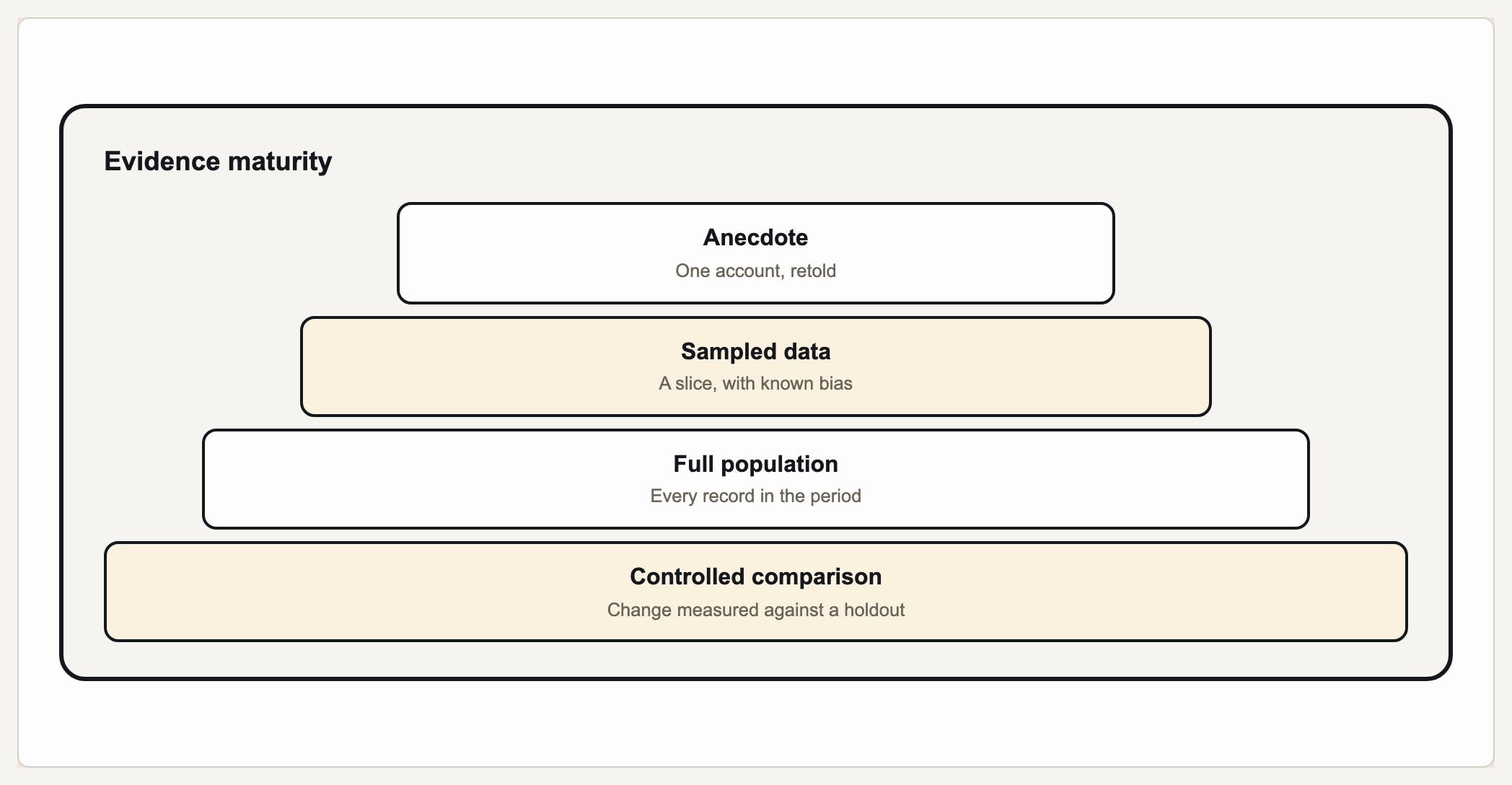
A pyramid chart (also called a pyramid diagram or triangle diagram) shows hierarchy or proportion as stacked horizontal tiers — a broad base narrowing to a single top — used for things like Maslow's hierarchy of needs, organizational levels, or a priority stack. Gixo Prism's diagram maker has a dedicated pyramid geometry (PrismLayoutKind DiagramPyramid) built for exactly this: you provide your tier labels in order and Prism stacks them deterministically, with no AI image model in the loop. Each tier renders in the exact position you gave it, every time.
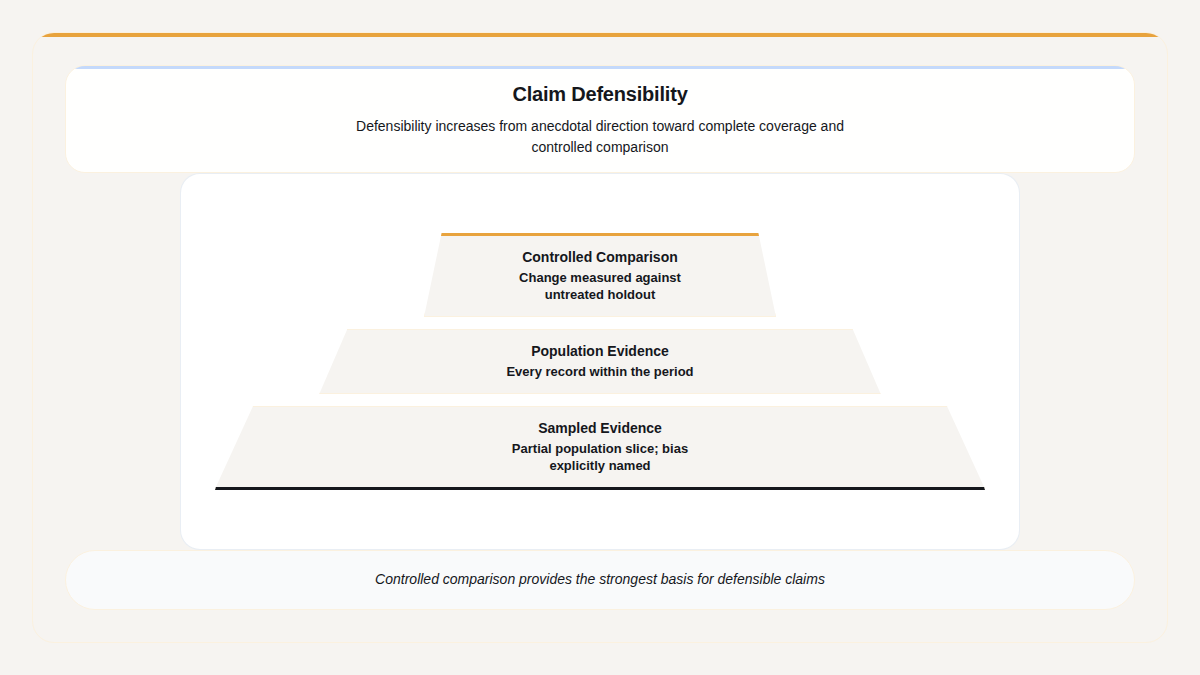
A real Gixo Prism pyramid. Where your levels carry counts the widths are those counts; where they do not, the taper says so rather than implying a measurement.
What makes a pyramid chart maker actually usable?
The pyramid is a simple shape on paper — but every tier has to sit in the right order, at the right width, with its label centered, or the hierarchy it's showing reads wrong.
Enter each tier top to bottom — physiological, safety, belonging, esteem, self-actualization, or your own levels. Prism's pyramid geometry stacks exactly the labels you type, in the order you type them.
Maslow-style needs, organizational levels, a strategy or priority stack, market segments — the pyramid geometry doesn't assume a topic, it just stacks the tiers you name from a broad base to a single apex.
No AI image model draws this triangle. Prism renders the pyramid geometry deterministically, so every tier lands in the right position with its label centered — no garbled text, no lopsided levels.
Apply your brand palette to the pyramid and it stays consistent with every other chart and diagram you build in Prism — plus 4 theme presets (conservative, bold, brand-conservative, brand-bold) to start from.
Rename a tier, add or remove a level, or change the theme, and the pyramid re-renders exactly. Export as clean, self-contained HTML/SVG to drop into a deck, doc, or page.
When the pyramid isn't the right shape, the same diagram maker covers process, cycle, funnel, tree, pillars, matrix, Venn, concentric, stack, and graph geometries — all deterministic, all on-brand.
How do you build a pyramid chart in the Prism diagram maker?
Four steps from a list of tiers to an exact, on-brand pyramid diagram.
Type each level top to bottom — the apex first down to the base, or whichever order your hierarchy runs.
Choose the pyramid shape in the diagram maker so Prism knows to stack your tiers into a triangle rather than another layout.
The pyramid geometry places each tier at the right width and order automatically — no dragging triangles, no nudging text to center.
Pick a theme preset or your Brand Kit, then export the pyramid as clean HTML/SVG for your deck, doc, or page.
Frequently Asked Questions
Explore the Prism visual toolkit
Updated