Sign In Try Free
Workflow-specific products Content, decks, briefs, proposals, legal, and sales each have a clearer buying path.
Review before delivery Draft, edit, collaborate, approve, and export in the same workspace.
Security + procurement path Security policy, support, and Azure Marketplace buying are public.

Document formatter

Paste messy text — notes, AI chat output, Markdown, exported HTML — and get clean, structured HTML back: headings, lists, and tables restored. Deterministic and verbatim-guaranteed: your words are never rewritten, summarized, or truncated, because no AI touches them.

Open document formatter Explore Gixo Quill
Free to use · Gixo account required. You will be asked to sign in or create an account before the formatter opens.
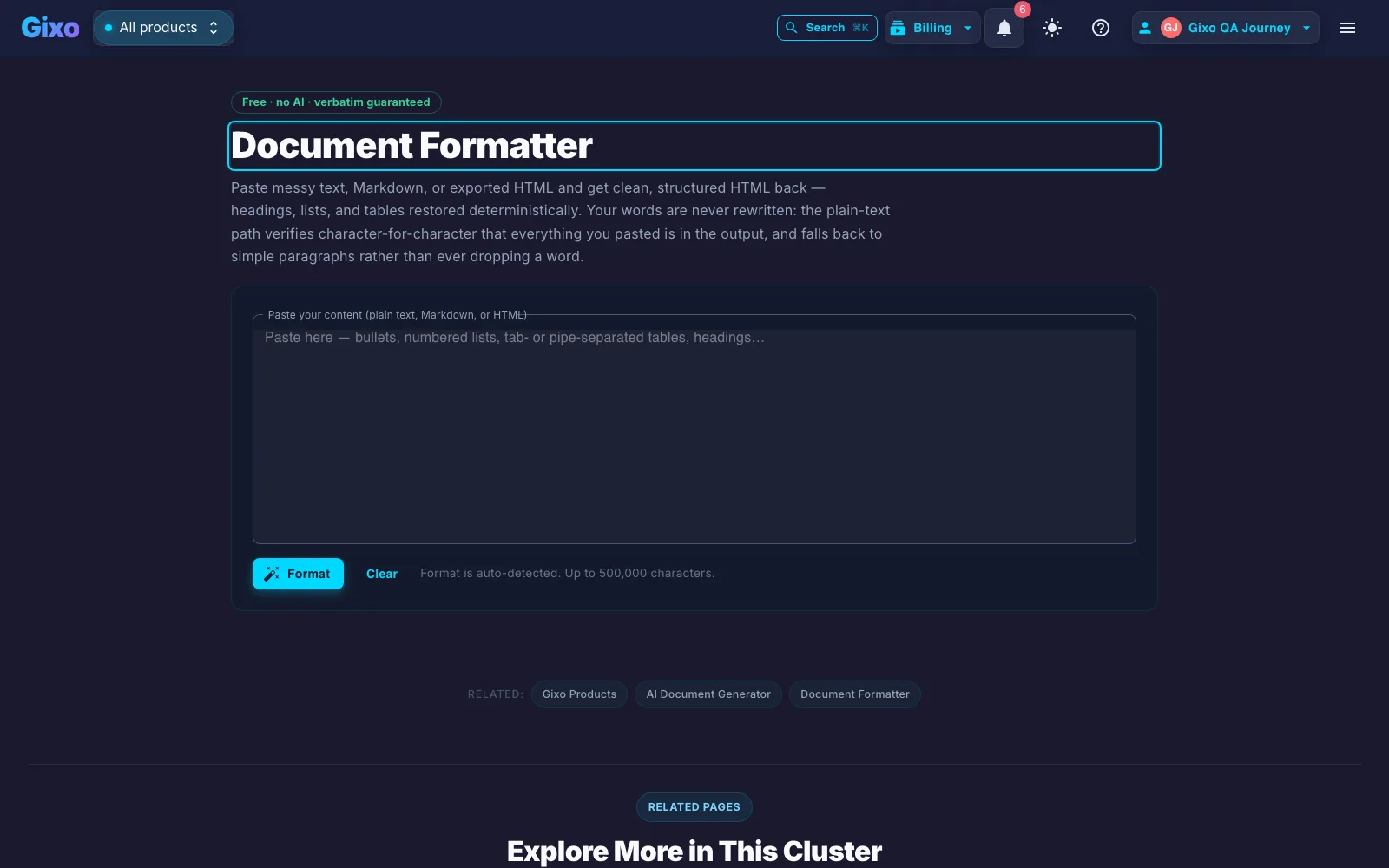
Gixo document formatter tool: paste plain text, Markdown, or HTML and get clean structured HTML back, marked free with no AI and verbatim guaranteed
"Free · no AI · verbatim guaranteed" — headings, lists, and tables are restored by rules, not rewritten by a model.

How it restores structure

Three deterministic paths, chosen by what you paste — and a self-check that proves nothing was lost.

HTML: cleaned, not mangled
Pasted HTML keeps its structure while scripts, styles, iframes, tracking attributes, and editor junk are stripped — only safe structural tags and attributes survive. Word and Google Docs exports come out readable.
Markdown: standards-based conversion
Markdown is detected by its signals (headings, fences, links, emphasis) and converted with a standards-based engine — raw HTML inside it is escaped, never passed through.
Plain text: the verbatim guarantee
Bullets (•, –, *), numbered lists, headings (short lines, ALL-CAPS, numbered prefixes), and tables (tabs, pipes, or aligned spacing) are rebuilt — then the output is verified character-for-character against your input. If the check ever disagrees, the tool falls back to simple paragraphs rather than dropping a single word.

Why no AI is the feature

Gixo's document import used to run on an AI formatting pass — and we replaced it with this deterministic engine, because the AI version had a failure mode users couldn't see: long documents were silently truncated at the model's token limit, and "reformatting" occasionally meant rewording. A formatter must be a parser, not an author.

This formatter is part of the Quill workflow. It never calls a model, so there is nothing to hallucinate and no length limit measured in tokens. The structure-restore path reports which method produced your output and tells you when the verbatim check passed.

If what you actually need is the document written — not just formatted — that's Gixo's document workspaces: structured briefs, proposals, reports, and articles generated from your own files.

Frequently Asked Questions

How does the document formatter fit into Quill?
It is a deterministic parser in the Quill content workflow. Use it to restore structure without rewriting your words, then keep editing, generating, and publishing in the same product journey.
Will it change my wording?
No. The plain-text path verifies the output character-for-character against your input (everything but punctuation spacing), and falls back to simple paragraphs if the structural heuristics ever disagree. Markdown and HTML paths convert markup only — your sentences pass through untouched.
What can it detect in plain text?
Bulleted lists (•, –, —, *, →), numbered lists (with correct start numbers preserved), headings (short lines without terminal punctuation, ALL-CAPS lines, numbered prefixes like 2.1), and tables separated by tabs, pipes, or two-plus spaces with consistent column counts.
How large a document can I paste?
Up to 500,000 characters — roughly a 70,000–80,000-word manuscript. There is no token-based truncation because no model is involved.

Paste it messy, copy it clean

The formatter is free and requires a Gixo account. Sign in or create one, then keep drafting, editing, and publishing in Quill.

Open document formatter