
Why Templates Fall Apart on Complex Deals
Templates work for repeatable sales motions with standard pricing. They fall apart when scope varies, stakeholders multiply, and every deal requires a different story. Here is where templates fail and what to use instead.
Template-based proposals break on complex deals for three reasons: section mismatch (fixed structures like executive summary, scope, and pricing can't accommodate custom needs like risk mitigation plans or multi-entity governance), tone rigidity (a template written for mid-market SaaS reads wrong for a government RFP or consulting engagement), and context loss (templates can't read your RFP or engagement brief, so teams manually transfer deal-specific details into empty placeholders and critical context gets lost). Templates still work for standard, repeatable proposals — they break specifically when scope varies, stakeholders multiply, and every deal needs a different structure and tone.
See what Arc helps your team review
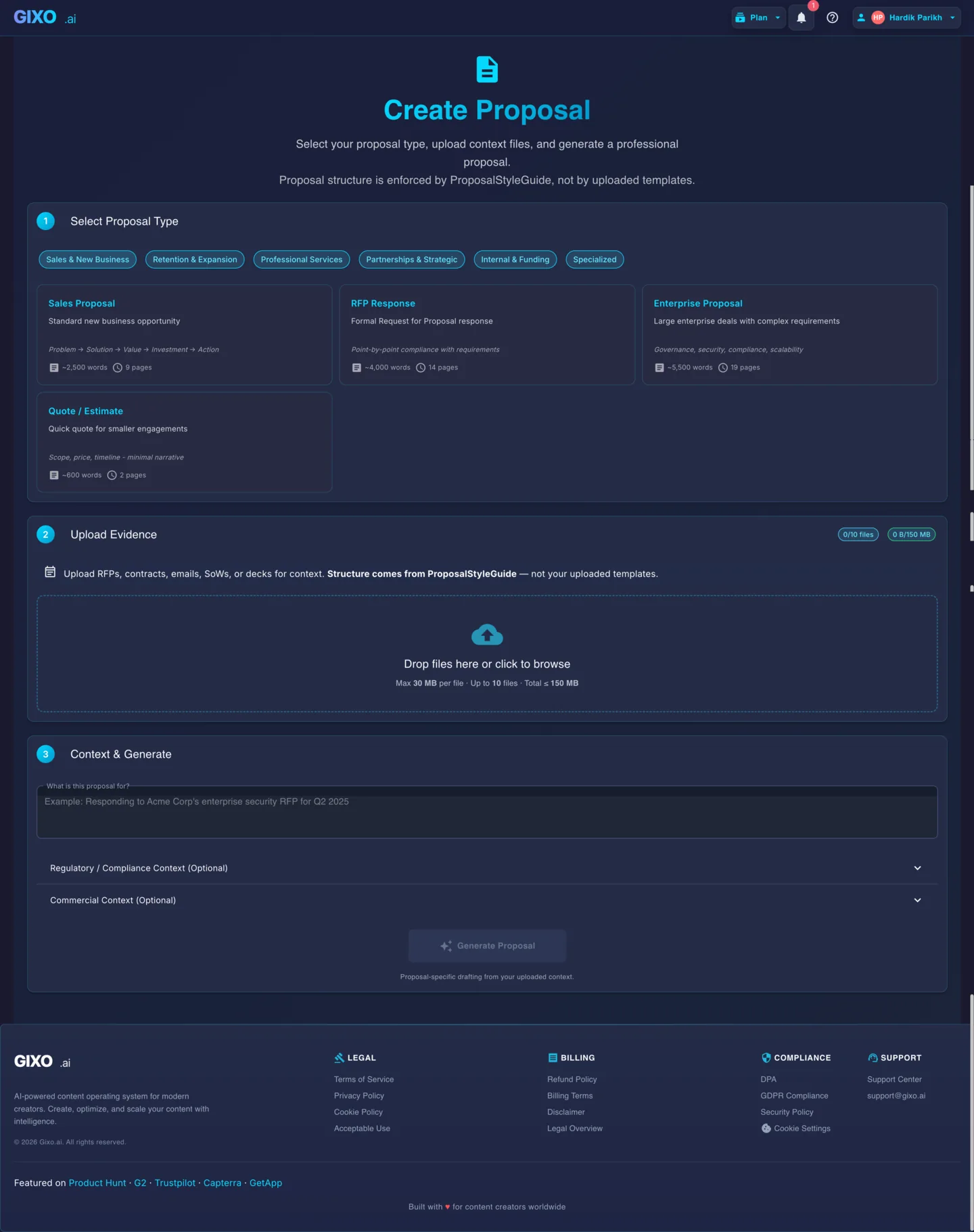
Choose the proposal type, add the RFP, brief, notes, or prior work, then review a structured first draft before it reaches a client.
- 1Add source materialRFPs, briefs, notes, decks, and prior work
- 2Draft to the proposal typeSections and structure follow the real opportunity
- 3Review before deliveryYour team checks facts, scope, pricing, and commitments
Why Do Templates Fail on Complex Deals?
Template-based proposal tools assume every deal follows the same structure. Complex deals do not. These are the failure modes teams encounter when template rigidity meets deal complexity.
Templates impose a fixed section order — executive summary, scope, pricing, terms. Complex deals often need custom sections like risk mitigation plans, phased rollout strategies, or multi-entity governance structures. Teams end up overriding the template so heavily that the starting point adds no value.
A template written for mid-market SaaS deals sounds wrong when repurposed for a government RFP or a consulting engagement. Tone, formality, and terminology differ by industry and buyer seniority. Rewriting placeholder text across twenty sections to match the audience defeats the purpose of using a template.
Templates cannot read your RFP, engagement brief, or past deliverables. They provide empty placeholders where deal-specific content should go. Your team manually transfers context from source documents into template fields — the most time-consuming part of proposal creation and the step where critical details get lost.
Why Do Feature-Focused Templates Lose Complex Deals?
A template's deeper flaw is not structure — it is that it is written about you, not for the buyer. It front-loads your history and a list of what you do (the "what") when a high-stakes buyer is deciding on the outcome they are buying (the "so what"). A boilerplate capabilities list invites a line-by-line price comparison and turns a complex solution into a commodity.
| Feature (template-speak) | Outcome (what the buyer is choosing) |
|---|---|
| "We will redesign your website." | A site built to convert — fewer drop-offs, more qualified leads. |
| "Weekly status meetings." | Full transparency and alignment, with no surprises late in the project. |
| "Our platform offers SSO." | Fewer support tickets and a tighter security posture. |
| "A team of ten specialists." | Senior expertise on every workstream, not junior hand-offs. |
Because Gixo drafts from your client brief and discovery notes, it frames the solution around the client's outcome — not a recycled list of capabilities.
When do template-based proposals work vs. break down?
Templates are not always wrong. Knowing when they fit and when they break saves your team from forcing a tool into the wrong use case.
| Scenario | Template-Based | AI-Drafted from Context |
|---|---|---|
| Standard SaaS sales proposal | Works well | Works well |
| Repeatable pricing with fixed SKUs | Works well | Works well |
| Multi-phase consulting engagement | Breaks down | Handles variable scope |
| RFP with 50+ requirement sections | Cannot map automatically | Reads and responds point-by-point |
| Multi-entity or multi-geography deal | Single structure only | Adapts to deal complexity |
| Renewal with usage history and expansion | No prior context intake | Reads account data files |
| Government or regulated procurement | Wrong tone and format | Adjusts formality and terminology |
| Quick one-page quote | Works well | Works well |
How AI Drafting Differs from Templates
AI-drafted proposals start from your source files and deal context, not from a fixed template. The output adapts to each deal instead of forcing every deal into the same mold.
Upload the RFP, engagement brief, past proposals, and supporting documents. The AI reads these sources and generates content that reflects your actual deal context — section structure, scope, and terminology are derived from inputs rather than imposed by a template.
The AI determines which sections the proposal needs based on the type of deal, the buyer's requirements, and the source materials provided. A consulting engagement gets approach and deliverables sections. An RFP response gets point-by-point compliance. No manual template overriding required.
The AI adjusts formality, terminology, and narrative style based on the deal type and audience. A government RFP response reads differently from a startup sales proposal. You do not need to maintain separate templates for each buyer segment — the AI handles tone calibration from context.