Best AI Presentation Software 2026 — 12 Tools Compared

We tested 12 AI presentation tools head-to-head on real business scenarios. This is a thorough comparison of features, pricing, design quality, and actual output across every major platform available in 2026.

12 Tools Compared
15 Features Evaluated
2026 Latest Rankings
Tested Real Deck Output

2026 AI Presentation Software Comparison

A feature-by-feature breakdown of all 12 AI presentation platforms. Scroll right on mobile to see every column.

Feature Gixo Gamma Beautiful.ai Tome Canva AI Pitch Prezi AI SlidesAI Decktopus Plus AI Slidebean MagicSlides
Full AI deck generationYesYesPartialYesPartialPartialPartialYesYesYesPartialYes
Max slides per deck40+~15~20~12ManualManual~20~10~15~15~15~10
Professional themes20+Limited~10LimitedMany~15~10Basic~10Basic~10Basic
AI image generationBuilt-inNoNoBasicBasicNoNoNoNoNoNoNo
Per-slide editingFullPartialYesPartialYesYesYesLimitedPartialLimitedPartialLimited
Present modeYesYesYesYesYesYesYesNoYesNoYesNo
PDF exportYesYesYesLimitedYesYesYesNoYesNoYesNo
Speaker notesYesNoYesNoYesYesYesNoYesYesNoNo
Design consistencyAutomaticGoodAutomaticBasicManualGoodGoodBasicGoodBasicGoodBasic
Real-time collaborationNoYesNoNoYesYesNoNoNoNoNoNo
Standalone platformYesYesYesYesYesYesYesAdd-onYesAdd-onYesAdd-on
Free tierYesYesNoYesYesYesNoNoNoNoNoNo
Starting price$9.99/mo$10/mo$12/mo$16/mo$12.99/mo$8/mo$7/mo$10/mo$9.99/mo$10/mo$29/mo$8/mo
Best forFull decksQuick sharingSmart designStorytellingTemplatesTeam collabNon-linearG-Slides usersGuided buildsPPT usersPitch decksBudget AI

12 AI Presentation Tools — In-Depth Reviews

We tested each tool by generating a 15-slide business strategy deck from the same prompt. Here is what we found.

1. Gixo
Best overall AI presentation platform for complete, ready-to-deliver decks
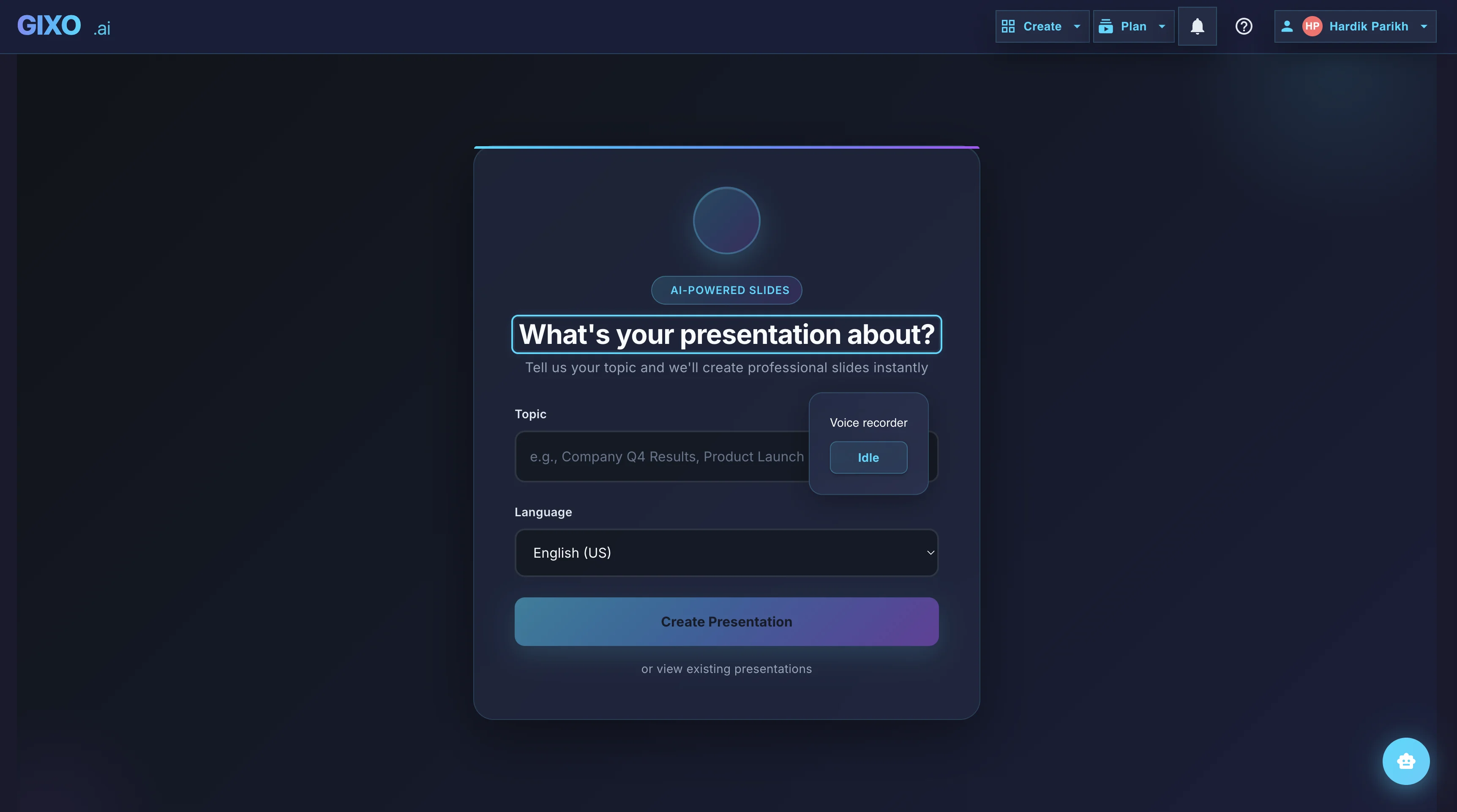
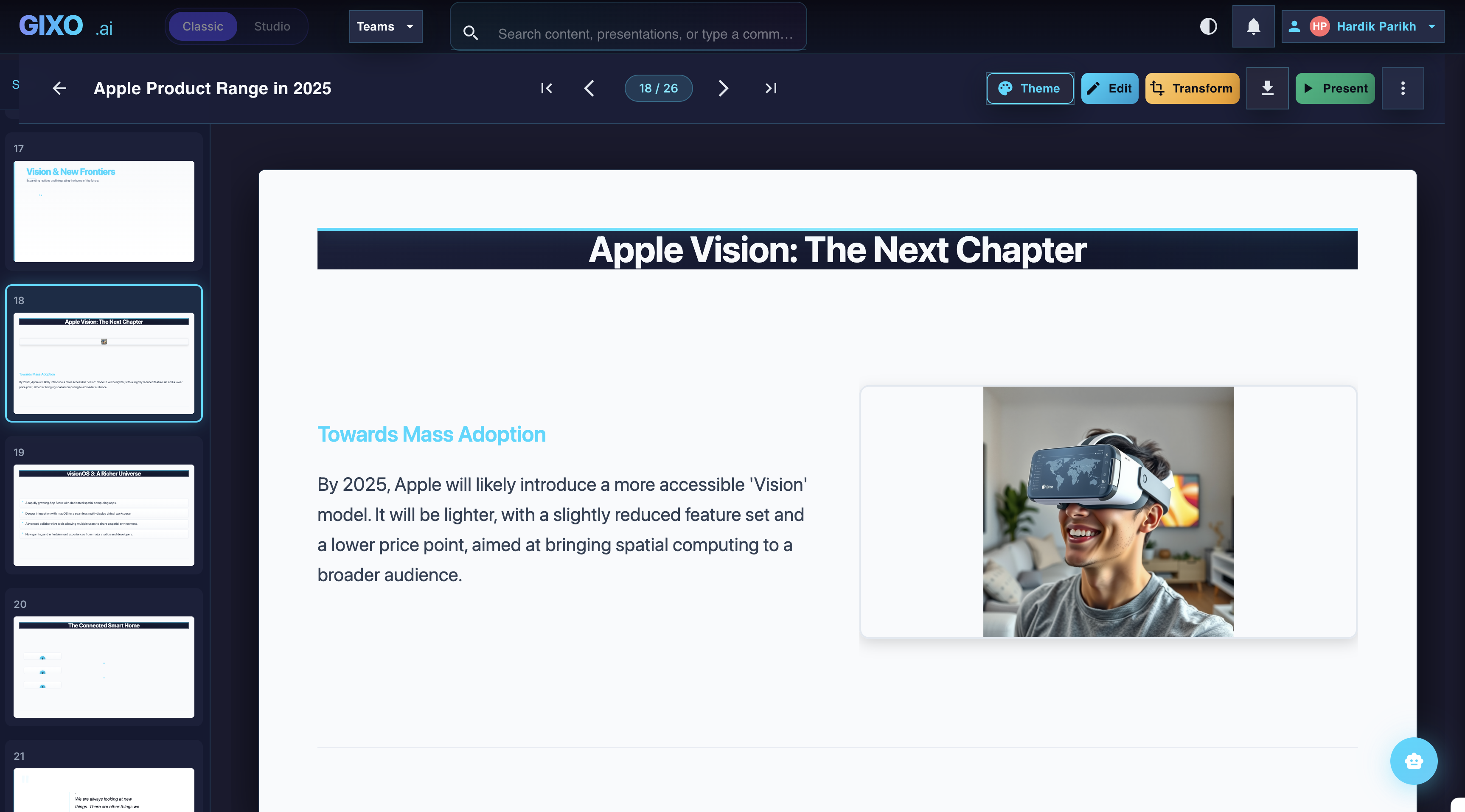
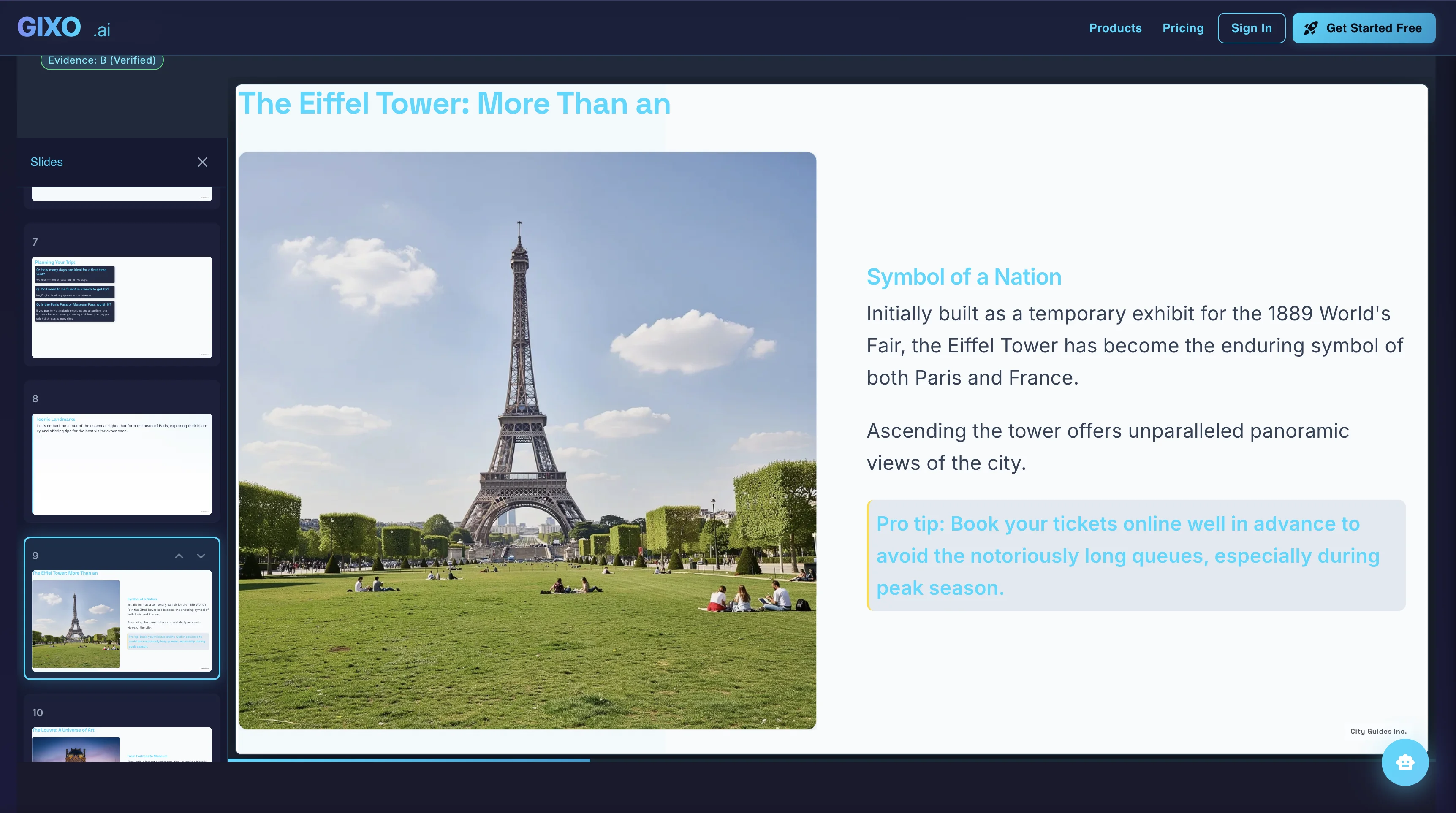
Gixo generates full decks of 40 or more slides from a single topic prompt, applying one of 20+ professionally designed themes with consistent typography, color, and layout throughout. Every slide is individually editable after generation, and the platform includes built-in AI image generation, speaker notes, a native present mode, and PDF export. The output is polished enough for boardrooms, client meetings, and conference stages without manual cleanup.
Strengths: Highest slide count per generation, largest theme library among AI-native tools, built-in AI image generation, full per-slide editing, speaker notes, and PDF export — all within a single platform.
Weaknesses: No real-time multi-user collaboration yet. No PPTX export — decks live within the Gixo platform or export as PDF. Newer brand with a smaller community compared to established tools like Canva.
Best for: Business professionals, consultants, and teams who need complete, presentation-ready decks generated quickly with minimal post-editing.
Pricing: Free tier available | Pro from $9.99/month
2. Gamma
Best for quick, web-native presentations and easy sharing
Gamma takes a genuinely different approach by treating presentations as web documents rather than traditional slides. The AI generates content quickly, and the results are immediately shareable via link without any exporting. The web-native format works well for informal sharing, internal updates, and async communication. Gamma is one of the most frictionless tools for going from idea to shareable content in minutes.
Strengths: Excellent speed from prompt to output. Web-native sharing is seamless. Good for document-style presentations. The free tier is generous and the interface is clean and modern.
Weaknesses: Limited to about 15 cards per generation. No speaker notes. The document-style format does not translate well to traditional slide presentations for conferences or boardrooms. Theme variety is narrow compared to dedicated slide tools.
Best for: Teams that share presentations via link rather than presenting live. Internal updates, product briefs, and quick stakeholder summaries.
Pricing: Free tier available | Plus from $10/month
3. Beautiful.ai
Best design automation — smart templates that adjust as you build
Beautiful.ai pioneered the concept of smart slide templates that automatically reflow and rebalance as you add or remove content. Rather than generating entire decks from a topic, the tool focuses on making every slide look professionally designed regardless of what you type. The layout engine is genuinely impressive — it prevents the misaligned text and broken formatting that plague manual slide creation.
Strengths: Outstanding design automation. Layouts automatically adjust to content changes. Consistent, professional output every time. Speaker notes and PDF export are included. Strong for users who want to build slides manually but want design guardrails.
Weaknesses: AI generation is more limited than Gixo or Gamma — you cannot generate a full deck from a single prompt with the same depth. No free plan. Theme selection is narrower than competitors. Costs $12/month with no trial period.
Best for: Professionals who build slides manually but want guaranteed design consistency. Particularly strong for teams that update the same decks repeatedly.
Pricing: No free tier | Pro from $12/month
4. Tome
AI-first storytelling with a distinctive visual approach
Tome is built around narrative generation. Give it a topic and it constructs a story arc across slides, complete with headers, body text, and suggested imagery. The visual style is distinctive — dark backgrounds, bold typography, and a cinematic feel that stands out from typical corporate slides. Tome is at its best when the goal is to tell a story rather than present data.
Strengths: Strong narrative AI that structures content as a story. Visually distinctive output. Quick generation. The free tier lets you explore the tool before committing.
Weaknesses: Limited to roughly 12 slides per generation. Editing control is restricted — you cannot easily rearrange or deeply modify individual slides. No speaker notes. PDF export is limited. The narrative style does not suit data-heavy or technical presentations.
Best for: Creative professionals, startup founders crafting vision pitches, and anyone who needs a visually compelling narrative deck rather than a structured business presentation.
Pricing: Free tier available | Pro from $16/month
5. Canva AI
The biggest template library with AI features added on top
Canva has the largest collection of presentation templates of any tool on this list — tens of thousands of designs across every category. The AI features are supplementary: you can generate text suggestions, use Magic Design to populate templates, and access basic AI image tools. But the core strength remains the template library and the drag-and-drop editor. For users who already live in Canva for social media graphics and marketing materials, the presentation features integrate naturally into that workflow.
Strengths: Unmatched template library. Familiar interface for existing Canva users. Strong manual design tools. Free tier is functional. Works well for visually-oriented teams already in the Canva ecosystem.
Weaknesses: AI presentation generation is shallow — it assists rather than creates. You still build most slides manually. Templates can look generic without customization. Design consistency across slides requires manual effort. Not optimized for AI-first deck generation.
Best for: Marketing teams and designers already using Canva who need occasional presentation support. Not ideal if AI generation is the primary requirement.
Pricing: Free tier available | Pro from $12.99/month
6. Pitch
Best for team collaboration with solid template foundations
Pitch was built from the ground up as a collaborative presentation platform. Multiple team members can edit the same deck simultaneously with real-time cursors, comments, and version history. The template library is curated and well-designed, and the editing experience is smooth. AI generation features have been added but remain secondary to the collaboration and template strengths.
Strengths: Best-in-class real-time collaboration. Clean, modern templates. Good speaker notes and present mode. The free tier supports small teams. Version history is well-implemented.
Weaknesses: AI generation is limited — it cannot produce full decks from a single prompt at the same level as Gixo, Gamma, or Tome. The tool is more of a collaborative editor with AI assistance than an AI presentation generator. Smaller template library than Canva.
Best for: Teams that co-create presentations together and value real-time collaboration over AI generation speed. Particularly useful for distributed teams on shared decks.
Pricing: Free tier available | Pro from $8/month
7. Prezi AI
Non-linear zooming presentations with a unique visual format
Prezi pioneered the zooming presentation format, where instead of flipping through slides, you navigate a visual canvas by zooming in and out of sections. This non-linear approach creates a distinctive visual experience that works well for educational content, spatial storytelling, and presentations where showing relationships between ideas matters more than sequential flow. The AI features help generate content within this unique framework.
Strengths: Truly unique presentation format that no other tool replicates. Strong for visual storytelling and educational content. The zooming mechanic keeps audiences engaged. Speaker notes and present mode are included.
Weaknesses: Steep learning curve — the non-linear format requires a different way of thinking about presentations. Not suitable for traditional slide-based business presentations. AI generation is limited compared to purpose-built AI tools. No free plan. Can feel disorienting if overused.
Best for: Educators, trainers, and presenters who want a visually distinctive format. Not recommended for standard business decks or investor presentations.
Pricing: No free tier | Standard from $7/month
8. SlidesAI
AI-powered add-on for Google Slides users
SlidesAI works as a Google Slides extension rather than a standalone platform. You provide a topic or paste text, and it generates slides directly within Google Slides. For teams already committed to the Google Workspace ecosystem, this is a practical way to add AI generation without switching tools. The output stays in Google Slides where you can continue editing with all the native features.
Strengths: Works within Google Slides, so output is immediately editable in a familiar tool. No new platform to learn. Supports text-to-slides and topic-to-slides generation. Affordable pricing.
Weaknesses: Limited to about 10 slides per generation. Design quality depends on Google Slides templates, which are generally basic. No standalone present mode or PDF export beyond what Google Slides offers. No AI image generation. Theme options are minimal.
Best for: Google Workspace users who want AI-generated starting points within Slides. Best as a drafting tool rather than a final-output solution.
Pricing: No free tier | Basic from $10/month
9. Decktopus
Guided presentation builder with built-in action buttons
Decktopus takes a guided approach to presentation creation. Instead of a blank canvas, the platform walks you through a step-by-step wizard: choose your purpose, set the audience, select a style, and let AI fill in the content. The unique feature is actionable slides — you can embed forms, links, and call-to-action buttons directly into your presentation, making it useful for sales demos and lead generation.
Strengths: Guided creation flow is beginner-friendly. Embedded action buttons are unique and useful for sales. Good template selection. Speaker notes and present mode are included. Pricing is competitive.
Weaknesses: AI generation depth is limited — the guided approach produces decent but not exceptional content. Slide count is capped around 15. Design quality is a step below Beautiful.ai or Gixo. Limited customization once the deck is generated.
Best for: Sales teams who want presentations with embedded CTAs, and beginners who prefer a guided creation process over a blank canvas.
Pricing: No free tier | Pro from $9.99/month
10. Plus AI
AI add-on for Google Slides and PowerPoint users
Plus AI takes a similar approach to SlidesAI but supports both Google Slides and PowerPoint. The extension generates slides within your existing presentation tool, letting you stay in the ecosystem you already use. It can generate entire decks from a prompt, rewrite individual slides, and suggest design improvements. The dual-platform support is its key differentiator among add-on tools.
Strengths: Works in both Google Slides and PowerPoint. AI can generate, rewrite, and improve slides. No new platform to learn. Speaker notes generation is included. Good for teams standardized on Microsoft or Google.
Weaknesses: Design quality is constrained by the host platform's templates. No standalone present mode or native export. Limited to about 15 slides per generation. Cannot match the design quality of purpose-built platforms like Gixo or Beautiful.ai.
Best for: Teams committed to Google Slides or PowerPoint who want AI assistance without leaving their current tools. Bridge solution rather than standalone platform.
Pricing: No free tier | Starter from $10/month
11. Slidebean
Pitch deck specialist with financial slide templates for startups
Slidebean occupies a specific niche: startup pitch decks and investor presentations. The platform includes templates specifically designed for fundraising — with pre-built slides for market size, business model, financial projections, competitive analysis, and team introductions. The AI assists with content suggestions within these structured templates. Slidebean also offers a pitch deck consulting service alongside the software.
Strengths: Best-in-class pitch deck templates. Financial slide templates with charts and projections. Startup-specific layouts that follow investor expectations. The design quality is professional and clean.
Weaknesses: Expensive at $29/month — the highest on this list. AI generation is more limited than general-purpose tools. Narrowly focused on pitch decks, so it is not versatile for general business presentations. Slide count per deck is moderate.
Best for: Startup founders preparing investor pitch decks. If fundraising is the primary use case and budget is not a concern, the specialized templates are worth the premium.
Pricing: No free tier | Starter from $29/month
12. MagicSlides
Budget-friendly Google Slides add-on for quick AI slides
MagicSlides is a lightweight Google Slides extension that generates basic slide decks from a topic or text input. It is the most affordable option on this list and works well as a quick-start tool for generating rough drafts. The AI creates simple text-based slides that serve as starting points for further manual editing within Google Slides.
Strengths: Lowest price point on this list. Simple, straightforward interface. Works within Google Slides. Good for generating quick drafts and outlines. Low barrier to entry.
Weaknesses: Output quality is basic — slides need significant manual improvement. Limited to about 10 slides. Minimal design options. No AI images, no speaker notes, no standalone present mode. The output feels more like an outline than a finished presentation.
Best for: Students, educators, and budget-conscious users who need a quick starting point in Google Slides and are willing to manually refine the output.
Pricing: No free tier | Basic from $8/month

Best AI Presentation Tool By Use Case

Different workflows demand different tools. Here is our recommendation for each common scenario based on hands-on testing.

Best for Business Decks
Gixo
Generates complete 40+ slide business decks with professional themes, speaker notes, and PDF export. The output is boardroom-ready without manual cleanup, making it the strongest choice for client presentations, quarterly reviews, and strategy decks.
Best for Quick Sharing
Gamma
Gamma excels when you need to go from idea to shareable link in minutes. The web-native document format is perfect for internal updates, async team communication, and quick stakeholder summaries where a traditional slide deck is unnecessary.
Best for Design Automation
Beautiful.ai
If you build slides manually but want guaranteed design consistency, Beautiful.ai is unmatched. The smart templates automatically rebalance as you edit, preventing the layout issues that plague manually built decks. Ideal for teams that iterate on the same decks frequently.
Best for Pitch Decks
Slidebean
Slidebean was built specifically for startup fundraising. The financial slide templates, market sizing layouts, and investor-oriented structure follow patterns that VCs expect. Expensive, but the specialization justifies the cost if fundraising is the primary goal.
Best for Google Slides Users
SlidesAI or Plus AI
Both tools work directly within Google Slides, so teams standardized on Google Workspace can add AI generation without switching platforms. Plus AI also supports PowerPoint. Choose SlidesAI for simplicity or Plus AI for cross-platform flexibility.
Best for Teams
Pitch
Pitch offers the best real-time collaboration experience among AI presentation tools. Multiple editors, live cursors, comments, and version history make it ideal for distributed teams co-creating presentations together.
Best Budget Option
MagicSlides
At $8/month, MagicSlides is the most affordable paid option. The output is basic and requires manual refinement, but for students and budget-conscious users who need a quick draft in Google Slides, it does the job at the lowest price point.
Best Overall
Gixo
Across all evaluation criteria — AI generation quality, slide count, theme variety, editing flexibility, and value for price — Gixo offers the most complete package. It is the only tool that combines 40+ slide generation, 20+ themes, AI images, and full editing in a single platform at under $10/month.

How We Tested These Tools

We evaluated all 12 AI presentation tools using a consistent, repeatable methodology designed to test real-world performance rather than theoretical capabilities. Every tool was tested during January and February 2026 using the latest available version.

Test Protocol

Each tool received the same prompt: a 15-slide business strategy presentation on market expansion for a mid-size SaaS company. We assessed the output quality, then tested editing, exporting, and presenting with each platform. For add-on tools (SlidesAI, Plus AI, MagicSlides), we tested within both Google Slides and PowerPoint where supported.

Evaluation Criteria

We scored each tool across five weighted categories: AI generation quality (30%) — how complete, relevant, and usable the initial output is; design output (25%) — visual polish, typography, color consistency, and layout variety; editing flexibility (20%) — the ability to modify, rearrange, and refine generated slides; features and export (15%) — speaker notes, present mode, PDF export, and additional capabilities; and value (10%) — pricing relative to the features delivered.

What We Did Not Test

We did not evaluate enterprise features like SSO, admin dashboards, or team management at scale. We also did not test API integrations, white-labeling, or custom branding features. This comparison focuses on the core AI presentation generation experience available to individual users and small teams.

Frequently Asked Questions

How do I choose the best AI presentation software?
Start by identifying your primary use case. If you need complete, ready-to-present decks, prioritize AI generation quality and slide count. If you build slides manually, look for design automation like Beautiful.ai. If collaboration is critical, consider Pitch. For Google Slides users, add-on tools like SlidesAI or Plus AI may be the lowest-friction option. Always test the free tier before committing to a paid plan.
What features should I look for in AI presentation software?
Essential features include full deck generation from a topic, a library of professional themes, per-slide editing, PDF export, and a built-in present mode. Important secondary features include AI image generation, speaker notes, slide reordering, and the ability to regenerate individual slides. Collaboration features matter if you work in a team. Export format support (PDF, PPTX) matters if you need to share files outside the platform.
What is the typical pricing for AI presentation tools in 2026?
Prices range from $7 to $29 per month for individual plans. Budget tools like MagicSlides and Prezi start at $7-8/month. Mid-range tools including Gixo, Gamma, SlidesAI, and Plus AI fall in the $10-12/month range. Canva Pro is $12.99/month. Tome is $16/month. Slidebean is the outlier at $29/month due to its pitch deck specialization. Several tools offer free tiers: Gixo, Gamma, Tome, Canva, and Pitch all have functional free plans.
Can AI presentation software replace PowerPoint and Google Slides?
For most individual presentation needs, yes. AI tools handle business presentations, pitch decks, educational content, and conference talks more efficiently than manual slide building. However, PowerPoint retains advantages for complex animations, embedded macros, enterprise compliance requirements, and organizations that mandate PPTX format. Google Slides remains strong for real-time team collaboration. For speed and design quality, purpose-built AI tools have overtaken manual approaches.
Are Google Slides add-on tools like SlidesAI worth it?
If your team is deeply invested in Google Workspace and switching platforms is not an option, add-on tools provide meaningful value. SlidesAI and Plus AI generate decent starting points within the familiar Google Slides environment. The trade-off is that design quality is limited by Google Slides templates, which are generally less polished than standalone platforms. For occasional use, the add-ons are practical. For frequent, high-quality presentations, a standalone platform will deliver better results.
Which AI presentation tool is best for pitch decks?
It depends on your budget and needs. Slidebean is the specialist — its templates are specifically designed for fundraising with pre-built financial slides, but it costs $29/month. Gixo offers a more versatile alternative at $9.99/month, generating complete pitch decks with professional themes and AI images. Tome is a solid third option for its narrative-driven approach, though it caps at about 12 slides. For most founders, Gixo provides the best balance of quality, features, and price.
Why is Gixo ranked number one overall?
Gixo scored highest across our weighted evaluation because it offers the most complete feature set at a competitive price. It leads in slide count (40+ versus 10-20 for competitors), theme variety (20+ professionally designed options), and is the only tool with built-in AI image generation, full per-slide editing, speaker notes, present mode, and PDF export all in one platform. Most competitors excel in one area — Gamma in speed, Beautiful.ai in design automation, Pitch in collaboration — but none match the full package.
What are the limitations of AI presentation tools in 2026?
The main limitations are content accuracy, customization depth, and format lock-in. AI-generated content sometimes includes generic or inaccurate claims that need human review. Most tools restrict how deeply you can customize layouts beyond their template systems. Many platforms use proprietary formats, meaning your presentations live within that tool unless exported as PDF. Complex data visualizations, custom animations, and highly branded enterprise presentations still require manual work or traditional tools.

Try the #1 Ranked AI Presentation Tool

See why Gixo leads the 2026 rankings across 12 tools. Create your first AI-generated deck in minutes — no credit card required.

High Contrast Mode Disabled
An error has occurred. This application may no longer respond until reloaded. Reload 🗙