The best AI content creation tools in 2026

We tested 12 AI content creation tools across six categories — writing, presentations, images, video, design, and all-in-one platforms. This guide ranks each tool by output quality, features, pricing, and the specific content type it handles best so you can build the right AI stack for your workflow.

12Tools Reviewed
6Categories
50+Hours Testing
2026Updated

What are AI content creation tools?

AI content creation tools use large language models and generative AI to produce text, images, presentations, video, and design assets. Here is what defines them and why they matter in 2026.

A Definition That Actually Helps

AI content creation tools are software platforms that use artificial intelligence — typically large language models (LLMs), diffusion models, or a combination — to generate, edit, or enhance content that would traditionally require a human writer, designer, or video editor. The category has expanded rapidly since 2023 and now covers everything from 5,000-word blog articles to photorealistic images to fully animated video clips.

What matters for choosing the right tool is understanding the subcategories. An AI writing tool like Jasper and an AI image generator like Midjourney solve completely different problems. Some platforms focus on one content type and do it exceptionally well. Others, like Gixo, combine multiple content types — writing, presentations, and infographics — into a single workspace. The trade-off between specialization and convenience is the central decision you will make when building your content stack.

The Six Categories of AI Content Tools

AI content creation tools fall into six broad categories, and most tools you encounter will fit into one or two of them:

  • AI Writing Tools generate articles, blog posts, sales copy, social captions, and long-form text content. Examples include Jasper, ChatGPT, Writesonic, and the writing engine in Gixo. These tools are the most mature category and the one most content marketers interact with daily.
  • AI Presentation Tools create slide decks, pitch decks, and visual documents from text prompts or outlines. Gamma and Gixo are the primary players here. This category is newer and less crowded than AI writing, but it is growing fast as teams look for alternatives to PowerPoint and Google Slides.
  • AI Image Generators produce original images from text descriptions. Midjourney leads on artistic quality, DALL-E 3 (built into ChatGPT) offers the most accessible entry point, and tools like Adobe Firefly focus on commercial-safe outputs. Image generation is the most visually impressive AI category but requires significant prompt engineering skill to get consistent results.
  • AI Video Tools handle everything from turning blog posts into video clips to editing podcast footage to repurposing long-form video into short social clips. Descript, Lumen5, and Opus Clip are the leaders here. Video AI is improving rapidly but remains the most resource-intensive and expensive category.
  • AI Design Tools create social media graphics, infographics, marketing materials, and branded visual assets. Canva dominates this space with its AI-powered design assistant, Magic Design. This category overlaps with image generation but focuses on templated, brand-consistent outputs rather than freeform artistic creation.
  • All-in-One Platforms combine multiple content types in a single workspace. Gixo is the clearest example, covering writing, presentations, and infographics with built-in SEO. ChatGPT also qualifies in a looser sense, since it can draft text, generate images via DALL-E, and create basic data visualizations — though it lacks a structured content workspace.

Why AI Content Tools Matter in 2026

The content creation landscape in 2026 is defined by two forces: the sheer volume of content every business needs to produce, and the rising quality bar set by search engines and audiences. Google's helpful content updates have made thin, low-effort content a ranking liability. Social platforms reward consistent publishing cadences. B2B buyers expect polished presentations and well-researched articles before they take a meeting.

AI content tools do not replace the need for strategy, expertise, or editorial judgment. What they do is compress the production timeline. A 2,000-word article that took a skilled writer four hours to research and draft can now be produced in 30 minutes with the right tool — and the remaining time can go toward editing, adding original insights, and promoting the piece. The teams that use AI tools most effectively treat them as accelerators, not autopilots.

The other shift in 2026 is the move toward integrated stacks. Instead of using one tool for writing, another for images, another for presentations, and another for SEO, content teams are consolidating. Fewer tools means fewer subscriptions, fewer context switches, and more consistent brand voice across content types. This is why all-in-one platforms are gaining ground even though they rarely beat specialists in every single category.

Six categories to know

AI content creation spans six distinct tool categories. Knowing where each starts and stops helps you avoid paying for overlap and pick the right tool per job.

AI Writing Tools

Generate articles, blog posts, sales copy, newsletters, and long-form content. The most mature AI content category with dozens of established platforms competing on quality, SEO, and workflow features.

AI Presentation Tools

Create slide decks, pitch decks, and visual documents from text prompts. A newer category with fewer competitors but strong demand from teams tired of spending hours in PowerPoint.

AI Image Generators

Produce original images from text descriptions. Quality ranges from photorealistic to artistic, with Midjourney and DALL-E 3 leading on output quality and accessibility respectively.

AI Video Tools

Turn text into video, edit footage with AI, repurpose long videos into short clips, and generate narration. The most resource-intensive category with the steepest learning curve.

AI Design Tools

Create social media graphics, infographics, marketing materials, and branded visuals using AI-powered templates. Canva dominates this category with its Magic Design features and massive template library.

All-in-One Platforms

Combine multiple content types in a single workspace. Reduce tool sprawl and maintain consistent brand voice across writing, presentations, and visual content from one subscription.

How to choose the right tool

1
Map Your Content Needs

List every content type you produce: articles, presentations, social graphics, videos. Rank them by volume and business impact.

2
Set Your Budget

Calculate total cost including add-ons. A $10/mo tool plus $89/mo SEO add-on costs more than a $50/mo all-in-one platform.

3
Test With Real Work

Use free trials on your actual content tasks. A generic demo prompt will not reveal workflow friction or quality limitations.

4
Minimize Tool Overlap

Every additional tool adds subscription cost, context switching, and onboarding time. Consolidate where quality allows.

12 tools reviewed

We tested each tool on real content tasks across its primary category. Here is what we found, ranked by overall value for content creators in 2026.

1. Gixo
Best all-in-one: writing + presentations + infographics with built-in SEO

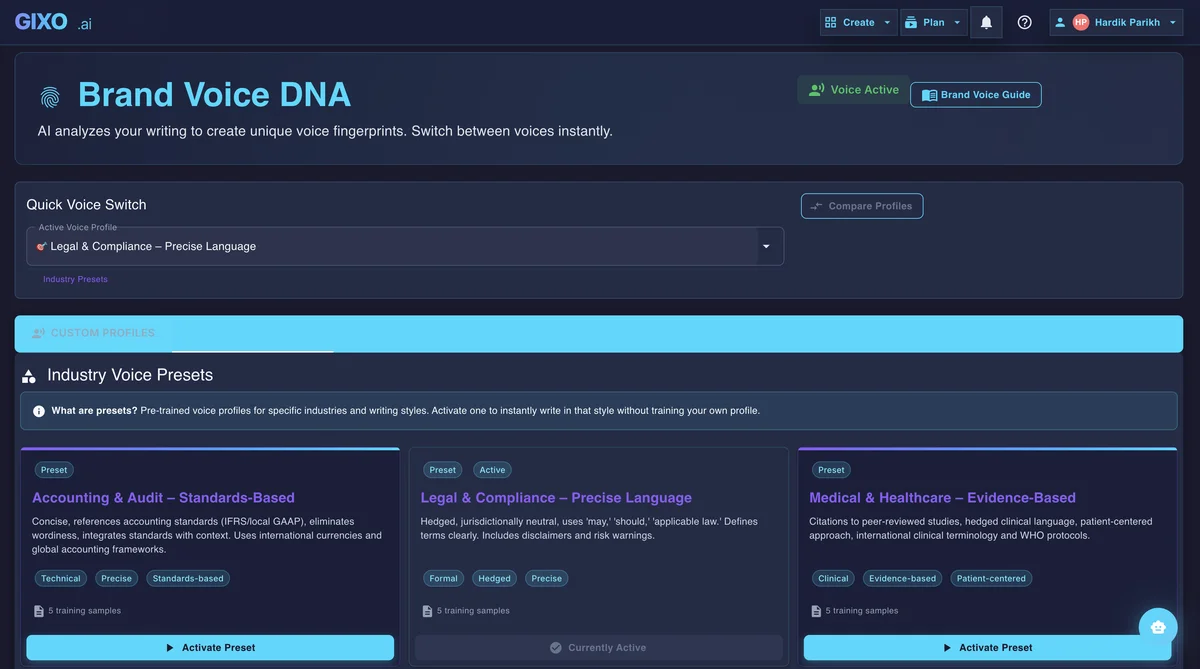
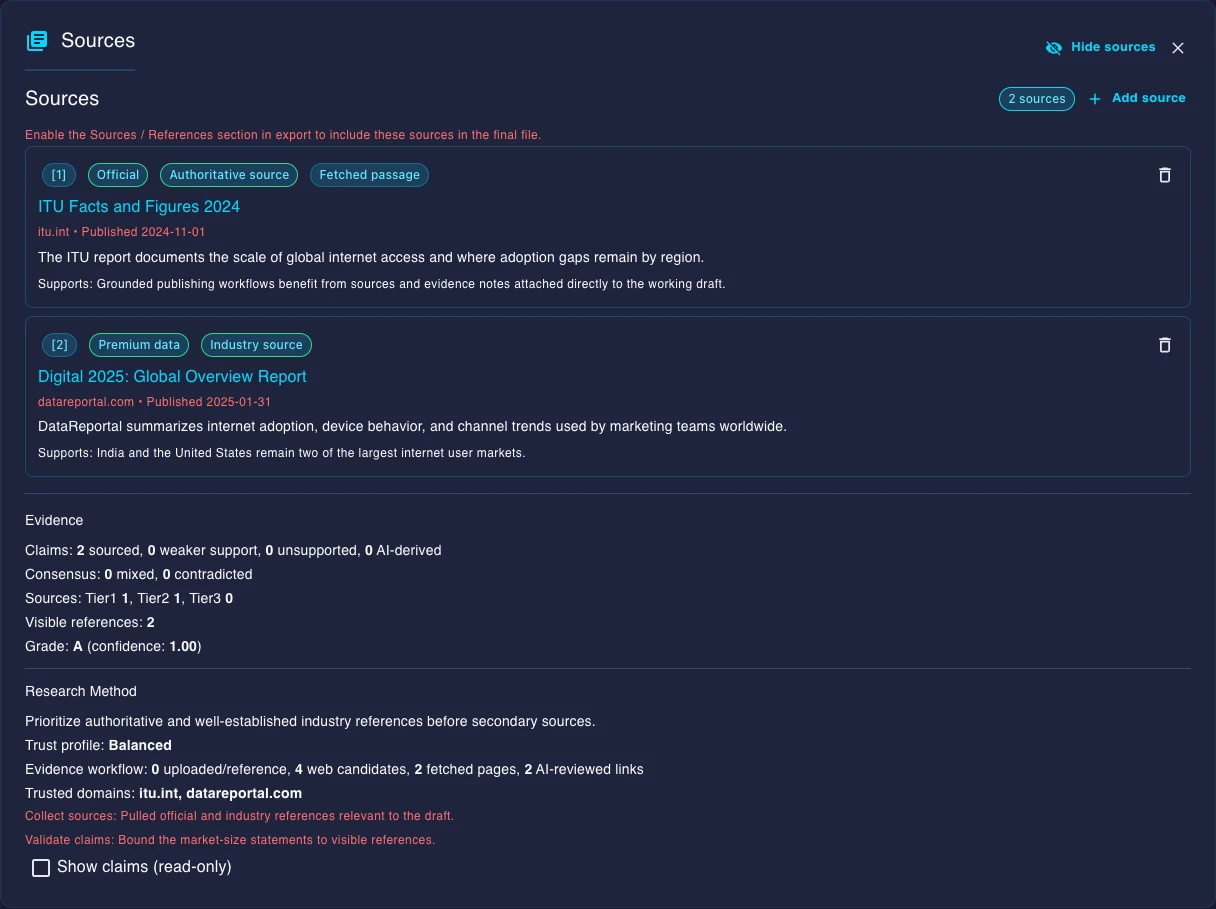
Gixo is the only platform in this list that combines long-form article generation, AI presentations, business briefs, and infographics in a single workspace with built-in SEO optimization. The evidence engine automatically sources and embeds citations from the web, which means factual claims come with verifiable references — something no other writing tool on this list does natively. SEO analysis runs during content generation, not as a post-publish audit, so heading structure, keyword placement, and internal link suggestions are baked into the first draft.

The presentation builder generates complete slide decks from a topic or outline, with 25 layout templates covering everything from data-heavy investor decks to visual storytelling formats. The infographic generator converts data and key points into shareable visual assets. For teams that produce articles, decks, and visual content, Gixo eliminates the need for separate writing, presentation, and design tools.

Key strengths: Built-in SEO scoring during generation, automatic evidence citations, brand voice training that persists across all content types, multi-format output (articles, presentations, infographics, briefs), HTML/Markdown/PDF export, content workspace with organization and version history.

Limitations: No AI image generation from text prompts (relies on stock and web images). No video creation or editing capabilities. Newer to market than Jasper or Canva, so the third-party integration ecosystem is still growing. The breadth of features can feel overwhelming for users who only need a simple blog writer.

Primary categories: AI Writing, AI Presentations, AI Design (infographics), All-in-One

Starting price: $9.99/mo

2. ChatGPT Plus
Best general-purpose AI for flexible content creation

ChatGPT remains the most versatile AI tool available for content creation. GPT-4o produces high-quality prose across virtually every content type: blog posts, email sequences, social media copy, scripts, technical documentation, and creative writing. The DALL-E 3 integration means you can generate images in the same conversation where you draft text. Custom GPTs let you build reusable content workflows, and the browsing feature provides access to current information for research-heavy articles.

The strength of ChatGPT is its flexibility. It handles any content task you throw at it, and the conversational interface makes iterating on drafts feel natural. The weakness is that it is a general-purpose chat interface, not a content platform. There is no content workspace, no SEO analysis, no CMS publishing, and no brand voice persistence between sessions. If you need structured content workflows, you will end up copying and pasting between ChatGPT and other tools.

Key strengths: Highest raw writing versatility, strong prose quality with GPT-4o, DALL-E 3 image generation built in, massive plugin ecosystem, Custom GPTs for reusable workflows, generous free tier.

Limitations: No built-in SEO tools or content scoring. No content workspace or version history. Brand voice resets between sessions. Citations are frequently unreliable or fabricated. Export is copy-paste only. No presentation or infographic generation.

Primary categories: AI Writing, AI Image Generation (via DALL-E 3)

Starting price: Free / $20/mo for Plus

3. Jasper
Best for enterprise marketing team workflows

Jasper has established itself as the go-to AI writing platform for enterprise marketing departments. Its brand voice feature lets you upload style guides and past content so every piece of generated text matches your company tone. The campaign workflow generates a blog post, social snippets, email copy, and ad variants from a single brief, which is a massive time-saver for teams running multi-channel campaigns. The template library covers over 50 marketing use cases, from product descriptions to press releases.

Jasper's limitations are its price and its reliance on add-ons. At $49/mo per seat, it is one of the most expensive tools on this list. And critically, Jasper has no native SEO optimization — you need a separate Surfer SEO subscription ($89/mo) to get keyword scoring and SERP analysis, which brings the effective cost to $138/mo. For teams with the budget, the brand governance and collaboration features justify the investment. For smaller teams, the total cost is hard to justify.

Key strengths: Deep brand voice training, extensive template library, team collaboration with approval workflows, campaign-level content generation across channels, polished enterprise interface.

Limitations: Expensive at $49/mo per seat. No native SEO — requires Surfer SEO add-on at $89+/mo. No built-in citations. No presentations or visual content. Long-form output caps around 3,000 words per generation.

Primary categories: AI Writing

Starting price: $49/mo

4. Canva
Best for visual content design and social media

Canva is the dominant platform for visual content creation, and its AI features have made it even more powerful in 2026. Magic Design generates complete layouts from a text prompt, Magic Write handles text generation within designs, and the background remover and image enhancer streamline photo editing. With thousands of templates for social media posts, infographics, presentations, posters, and marketing materials, Canva covers more visual content use cases than any other tool on this list.

Canva's strength is design, not writing. The Magic Write feature produces serviceable text for captions and short descriptions, but it cannot compete with dedicated AI writers for blog posts, long-form articles, or SEO content. Canva also has a presentation builder, but it is template-driven rather than AI-generated from content — you still need to write and structure your slides manually. Where Canva excels is making non-designers productive. If your content needs are primarily visual — social graphics, marketing materials, branded assets — Canva is the clear leader.

Key strengths: Largest template library for visual content, Magic Design for AI-powered layout generation, brand kit for consistent visual identity, collaborative workspace, strong mobile app, accessible pricing for the feature set.

Limitations: Weak AI writing — not competitive for articles or long-form content. No SEO tools. Presentations are template-driven, not AI-generated from prompts. Export options favor visual formats (PNG, PDF) over web-ready HTML. Not designed for content marketing workflows.

Primary categories: AI Design, AI Presentations (template-based)

Starting price: Free / $13/mo for Pro

5. Midjourney
Best for AI image generation quality

Midjourney produces the highest-quality AI-generated images available in 2026. Its v6 model creates photorealistic photographs, detailed illustrations, and artistic renderings that are consistently more visually striking than competitors. The aesthetic quality is a step above DALL-E 3 and Adobe Firefly, particularly for complex scenes, lighting, and artistic styles. If image quality is your primary criterion, Midjourney is the clear winner.

The trade-off is accessibility and workflow. Midjourney operates primarily through Discord (though a web interface is now available), which creates a learning curve for non-technical users. Prompt engineering matters significantly — the difference between a mediocre and stunning Midjourney output often comes down to how well you construct your prompt. There are no writing, SEO, presentation, or design template features. Midjourney does one thing — generate images from text — and it does that one thing better than anyone else.

Key strengths: Best-in-class image quality, exceptional handling of complex scenes and lighting, strong artistic style variety, consistent high-resolution output, active community sharing prompts and techniques.

Limitations: Discord-based workflow (web interface still maturing). Steep prompt engineering learning curve. No writing, SEO, or design template features. No API for workflow automation. Commercial licensing requires paid plan. No text rendering in images.

Primary categories: AI Image Generation

Starting price: $10/mo

6. DALL-E 3
Best for accessible AI image creation

DALL-E 3, integrated directly into ChatGPT, is the most accessible AI image generator available. You describe what you want in plain language, and the model generates it — no prompt engineering expertise required. The conversational interface means you can iterate on images the same way you refine text, saying things like "make the background darker" or "add a person on the left." For content creators who need images alongside their text content, the integration with ChatGPT makes DALL-E 3 the most convenient option.

Image quality is strong and improving but does not match Midjourney's output for artistic or photorealistic work. Where DALL-E 3 wins is on the accessibility-to-quality ratio: anyone can generate good-looking images without learning prompt syntax or navigating Discord. It also handles text rendering in images better than Midjourney, which is useful for social media graphics and marketing materials that include words.

Key strengths: Easiest AI image generator to use, natural language prompting, integrated into ChatGPT workflow, good text rendering in images, no separate subscription needed if you have ChatGPT Plus, strong for iterative image refinement.

Limitations: Image quality below Midjourney for artistic and photorealistic work. Limited style control compared to Midjourney or Stable Diffusion. Output resolution caps are lower. No standalone platform — tied to ChatGPT. Fewer customization options for advanced users.

Primary categories: AI Image Generation

Starting price: Included with ChatGPT Plus ($20/mo)

7. Gamma
Best for web-native presentations and documents

Gamma takes a different approach to presentations by generating web-native documents rather than traditional slide decks. You enter a topic or paste your content, and Gamma creates a visually polished, scrollable document that works more like a web page than a PowerPoint file. The AI handles layout, imagery, and visual hierarchy, which means you spend less time on formatting. For internal presentations, client proposals, and documents that will be shared via link rather than projected on a screen, Gamma's format is genuinely better than traditional slides.

Gamma's limitation is that it is primarily a presentation and document tool. There is no long-form article generation, no SEO optimization, no content management workspace, and no infographic or design template features. The output format — web-native documents — is excellent for sharing but less suitable for formal settings where a traditional slide deck is expected. If your primary need is presentations and visual documents, Gamma is a strong choice. If you also need writing and SEO, you will need additional tools.

Key strengths: Beautiful web-native document format, AI-powered layout and visual design, easy to use with minimal design skill, good image sourcing and placement, shareable via link, responsive on mobile.

Limitations: No article writing or long-form content generation. No SEO tools. No content workspace or editorial calendar. Web-native format may not suit formal presentation settings. Limited export to traditional formats like PPTX. No infographic creation.

Primary categories: AI Presentations

Starting price: Free / $10/mo for Plus

8. Descript
Best for video and podcast editing

Descript changed video editing by treating video like a text document. You edit a transcript, and the video updates to match — delete a sentence from the transcript, and the corresponding video clip is removed. This text-based editing approach makes video production accessible to people who find traditional timeline editors like Premiere Pro overwhelming. Descript also handles podcast editing, screen recording, transcription, and AI-generated voiceovers.

For content creators who produce video and podcast content, Descript is the most intuitive editing tool available. The AI features include filler word removal, eye contact correction, green screen background replacement, and Studio Sound for audio enhancement. However, Descript is purely a video and audio tool. It does not generate written content, create presentations, or handle any text-based content creation. It is the best in its category and irrelevant outside of it.

Key strengths: Revolutionary text-based video editing, excellent podcast editing workflow, AI filler word removal, Studio Sound audio enhancement, screen recording, transcription, AI voiceover generation, intuitive for non-editors.

Limitations: Video and audio only — no writing, presentations, images, or design. Complex projects may still need a traditional editor like Premiere Pro. Export quality has occasional issues with longer videos. AI voice cloning requires significant training data. Pricing can escalate with heavy usage.

Primary categories: AI Video Tools

Starting price: Free / $24/mo for Pro

9. Lumen5
Best for turning blog posts into videos

Lumen5 specializes in converting text content into video. You paste a blog post URL or article text, and the AI breaks it into scenes, selects relevant stock footage, adds text overlays, and generates a complete video with background music. For content marketing teams that want to repurpose their written content into social media videos, YouTube shorts, or website hero videos, Lumen5 automates a process that would otherwise require a video editor and hours of production time.

The output quality is good for social media and marketing videos but is not broadcast quality. Videos feel templated because they rely on stock footage and text overlays rather than original footage. Lumen5 works best when you think of it as a content repurposing tool rather than a video production platform. If you already have blog posts, articles, or reports, Lumen5 gives you a video version of that content with minimal effort.

Key strengths: Excellent blog-to-video conversion, AI-powered scene creation and stock footage matching, brand template customization, easy for non-video-editors, good for social media content repurposing.

Limitations: Output relies heavily on stock footage — not suitable for original video content. Video quality is social-media grade, not broadcast grade. Limited editing flexibility compared to Descript or Premiere Pro. Expensive relative to output quality. No writing or design features.

Primary categories: AI Video Tools

Starting price: $29/mo

10. Copy.ai
Best for sales copy and GTM automation

Copy.ai has evolved from a simple copywriting tool into a go-to-market (GTM) workflow platform. Its Workflows feature lets you build multi-step automated pipelines — research a prospect, generate a personalized email sequence, create follow-up messages, and draft social outreach — all from a single trigger. For sales and growth teams, this automation is the real differentiator. The short-form copy quality is excellent for product descriptions, ad variants, email subject lines, and landing page copy.

The limitation is that Copy.ai is built for short-form and sales content. Long-form blog articles feel thin compared to what you get from Jasper, Gixo, or ChatGPT. There is no SEO optimization, no content scoring, and no citation embedding. If your primary content need is sales copy and GTM automation, Copy.ai is purpose-built for that workflow. If you need long-form articles or SEO content, look elsewhere.

Key strengths: Workflow automation for GTM teams, excellent short-form sales copy, multi-step pipeline building, personalized outreach generation, generous free tier, intuitive interface.

Limitations: Weak long-form content generation. No SEO tools or content scoring. No citations. No presentations, images, or visual content. Limited export options. Not designed for content marketing workflows.

Primary categories: AI Writing (short-form / sales)

Starting price: $49/mo (free tier available)

11. Writesonic
Best budget multi-tool for content marketers

Writesonic bundles an article writer, blog post generator, ad copy creator, landing page builder, and Chatsonic (its conversational AI with real-time web access) into a single affordable package. At $16/mo, it undercuts most competitors significantly while offering a broader feature set than many more expensive tools. Chatsonic's ability to pull real-time web data makes it useful for writing about current events, trending topics, and fast-moving industries where information freshness matters.

The trade-off for Writesonic's low price is consistency. Article quality varies noticeably across different topics — the tool handles standard marketing content well but struggles with complex or technical subjects. SEO capabilities are basic compared to dedicated optimization tools. The AI-generated tone can feel generic without careful prompting. For content marketers on a tight budget who need a versatile tool that covers many use cases adequately rather than one use case exceptionally, Writesonic delivers strong value.

Key strengths: Affordable pricing for the feature set, Chatsonic with real-time web data, variety of content templates, Photosonic image generator included, landing page copy generator, multiple language support.

Limitations: Inconsistent quality on complex topics. Basic SEO suggestions only — no SERP analysis. No citation embedding. Brand voice limited to tone presets. Long-form output caps around 3,000 words. Output sometimes reads as recognizably AI-generated.

Primary categories: AI Writing

Starting price: $16/mo

12. Opus Clip
Best for repurposing long video into short clips

Opus Clip solves a specific but increasingly important problem: turning long-form video content into short, engaging clips for TikTok, YouTube Shorts, Instagram Reels, and LinkedIn. You upload a video or paste a YouTube link, and the AI identifies the most compelling moments, crops them to vertical format, adds dynamic captions, and generates multiple short clips ranked by predicted virality. For content creators and marketing teams that produce webinars, podcasts, or long YouTube videos, Opus Clip automates what would otherwise be hours of manual clip selection and editing.

The AI's ability to identify engaging moments is genuinely impressive — it analyzes speech patterns, visual changes, and topic transitions to find natural clip boundaries. The auto-captioning with speaker tracking works well for talking-head and interview content. However, Opus Clip is a single-purpose tool. It does not create original video, does not generate text, and does not handle any content type other than short-form video repurposing. If repurposing long video into short clips is a core part of your workflow, Opus Clip saves significant time. If it is not, this tool is irrelevant to your stack.

Key strengths: AI-powered clip selection from long videos, automatic vertical cropping, dynamic captions with speaker tracking, virality scoring, batch processing of multiple videos, direct publishing to social platforms.

Limitations: Single purpose — only repurposes existing video into short clips. Does not create original video content. Quality depends heavily on source video quality. Clip selection AI occasionally misidentifies engaging moments. No writing, design, or presentation features.

Primary categories: AI Video Tools

Starting price: $19/mo

Side-by-side comparison

How all 12 tools compare across writing, presentations, images, video, SEO, and pricing. Scroll horizontally on mobile.

Tool Writing Presentations Images Video SEO Price
GixoStrongBuilt-inNoNoBuilt-in$9.99/mo
ChatGPT PlusStrongNoDALL-E 3NoNoFree / $20/mo
JasperStrongNoNoNoAdd-on$49/mo
CanvaBasicTemplatesAI + StockBasicNoFree / $13/mo
MidjourneyNoNoBest qualityNoNo$10/mo
DALL-E 3NoNoStrongNoNovia ChatGPT
GammaNoWeb-nativeNoNoNoFree / $10/mo
DescriptNoNoNoBest editorNoFree / $24/mo
Lumen5NoNoNoBlog-to-videoNo$29/mo
Copy.aiSales copyNoNoNoNo$49/mo
WritesonicGoodNoBasicNoBasic$16/mo
Opus ClipNoNoNoRepurposingNo$19/mo

Best tool for each content type

Different content needs call for different tools. Here is our recommendation for each major content category based on testing.

Blog Articles & Long-Form Content
Gixo or Jasper

Gixo offers built-in SEO and citations at $9.99/mo, making it the best value for content marketers. Jasper is stronger for enterprise teams that need brand governance and campaign workflows, though it requires a Surfer SEO add-on for comparable SEO features.

Presentations & Slide Decks
Gixo or Gamma

Gixo generates traditional slide decks from prompts with 25 layout templates and exports to standard formats. Gamma creates web-native documents that look stunning but are less suitable for formal projected presentations. Choose based on how you deliver your decks.

Social Media Graphics & Design
Canva

Canva is the clear leader for visual content design. Its template library, brand kit, Magic Design, and collaborative workspace are unmatched for social graphics, marketing materials, and branded visual assets. No other tool on this list comes close for design.

AI-Generated Images
Midjourney or DALL-E 3

Midjourney produces the highest-quality images and is worth the learning curve for teams that need stunning visuals. DALL-E 3 is the easier option with natural language prompting and ChatGPT integration — ideal for content creators who need good images without mastering prompt engineering.

Video Content & Editing
Descript or Lumen5

Descript is the best video editor for non-editors, with its text-based editing approach and AI audio enhancement. Lumen5 is the best option for repurposing written content into video without any editing skills. For short clip repurposing, add Opus Clip.

Sales Copy & GTM Content
Copy.ai

Copy.ai's workflow automation and short-form specialization make it the strongest choice for sales teams generating email sequences, ad variants, and outreach at scale. The GTM workflow feature is genuinely differentiated.

All-in-One Content Platform
Gixo

Gixo is the only platform that covers writing, presentations, and infographics with built-in SEO in a single workspace at $9.99/mo. For teams that want to minimize tool sprawl and maintain consistent brand voice across content types, it is the most consolidated option available.

General-Purpose AI Assistant
ChatGPT Plus

If you need a flexible AI that handles writing, image generation, coding, research, brainstorming, and dozens of other tasks, ChatGPT is the most versatile option. Just bring your own SEO, publishing, and content management workflow.

How to build your AI content stack

The right combination of tools depends on your content types, budget, and team size. Here is how to think about building your stack without overspending.

Start With Your Highest-Volume Content Type

Most content teams produce one type of content far more often than others. If you publish 20 blog articles per month but only create 2 presentations, your writing tool matters more than your presentation tool. Identify the content type that consumes the most production time and choose the best tool for that category first. Everything else is secondary.

For most content marketing teams, writing is the highest-volume activity. An AI writing tool with built-in SEO — like Gixo or a Jasper plus Surfer SEO combination — becomes the foundation of the stack. For agencies that produce primarily visual content, Canva is the foundation. For video-first creators, Descript is the starting point.

Avoid Paying for Overlap

Tool sprawl is the most common and most expensive mistake in building an AI content stack. Every additional subscription adds monthly cost, requires onboarding, and creates context-switching friction. Before adding a new tool, check whether an existing one already covers that capability, even if imperfectly.

For example, if you use Gixo for writing and presentations, you do not need Gamma for presentations — even though Gamma's web-native format is excellent. The marginal improvement does not justify the added cost and workflow complexity for most teams. Similarly, if you have ChatGPT Plus, you already have DALL-E 3 for image generation and may not need a separate Midjourney subscription unless image quality is a core differentiator for your brand.

Budget Tiers for Different Team Sizes

Here are three practical stack configurations at different budget levels:

  • Solo creator ($10-30/mo): Gixo ($9.99/mo) for writing, presentations, and infographics with SEO. Add Canva free tier for social graphics. This covers most content needs for under $15/mo total. If you need AI images, DALL-E 3 comes with ChatGPT Plus at $20/mo.
  • Small team ($50-100/mo): Gixo ($9.99/mo) for writing and presentations with SEO, Canva Pro ($13/mo) for visual design, and Midjourney ($10/mo) for high-quality image generation. Total: approximately $33/mo, covering five content categories. Add Descript ($24/mo) if video is a regular output.
  • Marketing department ($150-300/mo): Jasper ($49/mo per seat) for brand-governed writing with campaign workflows, Canva for Teams ($13/mo per seat) for design, Midjourney ($30/mo for Standard) for premium images, Descript ($24/mo) for video, and a dedicated SEO tool. At this budget, the priority shifts from cost optimization to workflow integration and team collaboration.

Workflow Integration Matters More Than Features

A tool with a slightly smaller feature set that fits your workflow will always outperform a feature-rich tool that creates friction. Consider how each tool connects to your existing workflow: Does it export in the formats your CMS accepts? Does it support the collaboration patterns your team uses? Can you move content between tools without manual reformatting?

The best AI content stacks are not the ones with the most powerful individual tools — they are the ones where content flows smoothly from ideation through production to publishing with the fewest manual steps. A single all-in-one platform that handles 80 percent of your needs will usually outperform three specialized tools that each handle 95 percent of one need, because the integration overhead of three tools eats into the productivity gains.

Re-evaluate Quarterly

AI content tools are evolving faster than any other software category. Features that were unique six months ago are table stakes today. Tools that were clunky a year ago may have shipped major improvements. Set a quarterly reminder to audit your stack: Are you using every tool you pay for? Has a tool you dismissed previously improved enough to reconsider? Has your content mix shifted enough to justify a different primary tool?

The worst outcome is paying for tools you no longer use because you adopted them when they were the best option and never revisited the decision. AI content creation is moving too fast for set-and-forget subscriptions.

How we evaluated these tools

This comparison reflects hands-on testing conducted in early 2026. We are transparent about the fact that Gixo is our own product. To keep the evaluation fair, we applied the same testing process to every tool and credited competitors wherever they outperformed us.

Testing Process

We tested each tool within its primary category. Writing tools were evaluated on the same three articles: a 2,000-word product comparison, a 1,500-word how-to guide, and a 1,200-word thought leadership essay. Presentation tools were tested by generating a 15-slide investor deck and a 10-slide internal strategy presentation. Image generators were tested with 20 prompts across photography, illustration, and marketing asset categories. Video tools were tested by converting the same blog post into a 60-second video and by editing the same 30-minute interview recording.

Scoring Dimensions

We scored each tool on output quality within its primary category, ease of use, pricing relative to value, workflow integration, team collaboration features, and export flexibility. We did not penalize specialized tools for lacking features outside their category — Midjourney is not marked down for having no SEO because that is not its purpose. The overall rankings reflect a combination of quality within category and breadth of utility for content creators who produce multiple content types.

Pricing Notes

All prices reflect the lowest published tier as of January 2026. Where a tool requires add-ons for core functionality, we note the combined cost. Prices may have changed since testing — check each vendor's site for current rates. We used monthly pricing throughout for consistency, though most tools offer discounts for annual billing.

Limitations

AI tools update frequently. Features, pricing, and model quality may shift between publication and your reading. We re-test quarterly and update this page accordingly. Our scoring reflects content marketing use cases — game developers, fiction writers, academic researchers, or enterprise IT teams may weigh criteria very differently.

Frequently Asked Questions

What is the best AI tool for content creation in 2026?
It depends on what type of content you create. For an all-in-one platform covering writing, presentations, and infographics with built-in SEO, Gixo offers the most complete package at $9.99/mo. For visual design and social media graphics, Canva is the clear leader. For AI image generation, Midjourney produces the highest quality. For video editing, Descript is the most intuitive option. There is no single best tool across all categories.
Which AI content tool is best for beginners?
ChatGPT Plus is the easiest entry point because it handles writing, image generation (via DALL-E 3), and research in a conversational interface anyone can use. Canva is the best starting point for visual content, with drag-and-drop design that requires no design skills. For content marketing specifically, Gixo and Gamma both have straightforward onboarding with minimal learning curves.
How much should I budget for AI content creation tools?
Solo creators can cover most content needs for $10 to $30 per month. A small team stack typically runs $30 to $100 per month across two to four tools. Marketing departments with multiple content types and team collaboration needs should budget $150 to $300 per month. Always calculate total cost including required add-ons — a $49/mo writing tool that needs a $89/mo SEO add-on actually costs $138/mo.
Can AI tools replace human content creators?
Not in 2026. AI content tools accelerate production and handle first drafts, formatting, and repetitive tasks effectively. But strategy, original insights, brand voice refinement, fact-checking, and editorial judgment still require human oversight. The teams getting the best results use AI to produce 80 percent of the first draft and spend their time on the 20 percent that requires expertise and creativity.
What is the best AI tool for SEO content?
Gixo is the best tool that builds SEO into the content generation process — keyword analysis, heading structure, and internal linking happen during writing, not after. If you already have content and need to optimize it, Surfer SEO has the deepest on-page optimization features. Jasper requires a separate Surfer SEO subscription for SEO capabilities, adding $89/mo to the cost.
Is Canva or Midjourney better for AI images?
They serve different purposes. Midjourney generates the highest-quality original images from text prompts and is the best choice when you need stunning, unique visuals. Canva is better for designing complete marketing materials, social media posts, and branded graphics using templates, stock photos, and AI-enhanced editing. If you need a hero image, use Midjourney. If you need an Instagram post with text, branding, and layout, use Canva.
What is the best free AI content creation tool?
ChatGPT's free tier is the most capable free AI tool for text content. Canva's free tier is the best free option for visual design, with thousands of templates and basic AI features. Gamma offers a free tier for web-native presentations. For comprehensive content creation, free tiers are useful for testing but most serious workflows will require a paid plan on at least one tool.
Should I use one all-in-one tool or multiple specialized tools?
For most teams, an all-in-one platform that covers your top two or three content types plus one or two specialized tools for remaining needs is the most efficient approach. An all-in-one like Gixo handles writing, presentations, and infographics, and you add Canva for design and Midjourney for images only if those are significant content types for your team. Pure specialists produce the highest quality in their category but the integration overhead of managing five or more tools usually outweighs the marginal quality gains.
How do AI presentation tools compare to PowerPoint?
AI presentation tools like Gixo and Gamma generate complete decks from a topic or outline in minutes, handling layout, visual design, and content structure automatically. PowerPoint and Google Slides give you more manual control but require you to build every slide from scratch. For most business presentations, AI tools save hours of production time and produce more visually consistent results. For highly customized or regulated presentations, traditional tools offer more precise control.
What is the best AI video tool for content marketing?
For editing video and podcast content, Descript is the most intuitive option with its text-based editing approach. For converting blog posts into social videos without editing skills, Lumen5 is purpose-built for that workflow. For repurposing long-form video into short clips for TikTok, YouTube Shorts, and Reels, Opus Clip automates the process effectively. Most content marketing teams need at most one or two of these depending on their video strategy.

Build Your Content Stack Starting at $9.99/mo

Writing, presentations, infographics, and built-in SEO in one platform. See why content teams are consolidating on Gixo in 2026.

High Contrast Mode Disabled
An error has occurred. This application may no longer respond until reloaded. Reload 🗙